Quick answer
Person properties are the facts PostHog keeps about a person, such as their plan, signup date or the first page they saw. $set writes a value every time; $set_once writes it only if the person doesn't have that property yet. In the browser you set them with identify() and setPersonProperties(); from a server, any event can carry $set and $set_once for the person's distinct ID. (+)
We tested how they behave in a PostHog Cloud project on 24 November 2026, with posthog-js 1.454.2, the Node and Python SDKs and PostHog's capture API. Five results decide what your reports and flags show:
- PostHog applies updates in the order it processes them. A
$setprocessed later wins even when its event is older, and$set_oncekeeps the first value processed, even anull. - Under PostHog's default
person_profiles: 'identified_only', an anonymous visitor has no profile, so$seton their events is dropped. - First seen is when the profile was created. For a visitor who browses before logging in, that is the moment of identification, however long ago their first page view was.
- In organizations created since June 2024, insights filter and break down by the value each event was stored with, so changing a plan today doesn't move last week's events.
- In three runs, a flag targeting a person property matched 1.2 to 1.9 seconds after a
$set. A value sent with the flag request applied at once and overrode the stored one.
What are person properties, and how do they differ from event properties?
An event property describes one event and never changes. A person property describes the person and holds the latest value PostHog processed. Each event also stores a copy of the person's properties as they were when PostHog processed it. (+)
| Kind | Where it lives | How you set it | Use it for |
|---|---|---|---|
| Event property | On one event | capture('checkout_started', { cart_value: 49 }) | What happened at that moment: the page, price, variant |
| Person property | On the person profile, copied onto each later event | $set / $set_once, identify(), setPersonProperties() | Facts about the person you filter by, target flags with or send to other tools: plan, signup date, first source, internal user |
| Super property | On every later event from that browser | posthog.register({ app_version: '2.4' }) | Context you want on every event; it never reaches the person |
register() sets event properties only. (+) In our test, the registered value appeared on every later event and never on the person.
Keep a fact on the person when it describes who they are and you will segment or target by it, and on the event when it describes one moment. A value that changes on every visit, such as cart contents, belongs on the event.
How do you set person properties in PostHog?
In the browser, call identify() when the visitor logs in or signs up, and setPersonProperties() when something about them changes later. Both give the visitor a person profile if they don't have one, which the next section explains.
// At login or signup: link this browser to the user and set properties.
posthog.identify('user_123',
  { plan: 'free', company_size: '11-50' },   // $set: overwritten every time
  { signup_date: '2026-11-24' }              // $set_once: kept if already set
)

// Later, when something about the person changes:
posthog.setPersonProperties({ plan: 'pro' }, { first_paid_plan: 'pro' })

// To remove a property (posthog-js 1.387 and later):
posthog.unsetPersonProperties(['trial_ends_at'])
Use your own user ID in place of user_123. identify() sends an $identify event with your properties and the first-visit values posthog-js stored for that browser. setPersonProperties() sends a $set event.
Adding $set to an ordinary capture() call doesn't turn person processing on. For an anonymous visitor, posthog-js marks the event $process_person_profile: false, and PostHog removes the $set before storing it. (+) In our test the value never reached the person, even after the visitor was identified.
On a server, send $set and $set_once inside any event, or use the SDK's helpers; Node's need posthog-node 5.38 or later. (+) Replace the project API key and host with your project's; US projects use https://us.i.posthog.com.
// Node.js (ES module), posthog-node 6
import { PostHog } from 'posthog-node'

const client = new PostHog('<project API key>', { host: 'https://eu.i.posthog.com' })

client.capture({
  distinctId: 'user_123',
  event: 'subscription_upgraded',
  properties: { $set: { plan: 'pro' }, $set_once: { first_paid_plan: 'pro' } },
})
client.setPersonProperties({
  distinctId: 'user_123',
  properties: { billing_country: 'NL' },
  propertiesOnce: { signup_date: '2026-11-24' },
})
client.unsetPersonProperties({ distinctId: 'user_123', properties: ['trial_ends_at'] })

await client.shutdown() // sends queued events before the process exits
# Python, posthog 8
from posthog import Posthog
posthog = Posthog('<project API key>', host='https://eu.i.posthog.com')
posthog.capture('subscription_upgraded', distinct_id='user_123',
properties={'$set': {'plan': 'pro'}, '$set_once': {'first_paid_plan': 'pro'}})
posthog.set(distinct_id='user_123', properties={'billing_country': 'NL'})
posthog.set_once(distinct_id='user_123', properties={'signup_date': '2026-11-24'})
posthog.shutdown() # sends queued events before the script exitsWe ran both snippets as shown, with a test project's key, and every update reached the person. The Python SDK has taken the event name first since version 6. (+) PostHog's person-properties page still shows the older form, capture('distinct_id', event='$set', ...). In posthog 8.2.1 it raised a TypeError from the module-level function, and on a Posthog client it logged an error and sent nothing.
Server SDKs process the person for every event unless you turn person processing off, so each of these events is billed as an identified event. (+) The cost section has the prices.
To check the result, open the person under People and look at their properties, or run the query in the troubleshooting section.
What does person_profiles: 'identified_only' change?
It decides which visitors get a person profile. With identified_only, posthog-js's default, a visitor gets one only when your code calls identify(), alias(), group(), setPersonProperties(), unsetPersonProperties() or createPersonProfile(). Until then their events are anonymous: they carry no person properties, and any $set on them is dropped. (+) From the first of those calls, every event from that browser processes the person until reset().
The two other values are always, which gives every visitor a profile from their first event, and never, which turns person processing off. (+) With never, posthog-js ignores identify(), alias(), setPersonProperties() and createPersonProfile() and logs an error. (+)
A visitor doesn't need to log in to have person properties. In our test, setPersonProperties() gave an anonymous visitor a profile without identifying them, so their later events carried the properties. Those events are billed as identified, as the cost section explains. By default, 99Trace, our WooCommerce plugin, sends a purchase from a visitor without a profile without creating one.
What is the difference between $set and $set_once?
$set replaces the value each time an update is processed. $set_once writes only when the person has no property with that name. Both follow the order in which PostHog processes events; the timestamps on the events play no part. (+)
We sent these updates for one person through the capture API, in this order:
| Sent first | Sent second | The person kept |
|---|---|---|
$set_once on an event dated today | $set_once on an event dated yesterday | Today's value: the first one processed |
$set on an event dated today | $set on an event dated yesterday | Yesterday's value: the last one processed |
$set_once with null | $set_once with a real value | null |
$set with null | $set with a real value | The real value |
Two practical rules follow:
- Send each person's updates in the order they happened. An import of historical data, a retry queue or a server job that runs late can overwrite a newer value with an older one. Where order isn't guaranteed, have the sender skip an update older than the last one it sent. Also send each change as an event, such as
plan_changedwith the new plan, so a query can take the latest by timestamp. - **Never send a placeholder
nullwith$set_once.** PostHog treats a storednullas set, (+) sofirst_purchase_at: nullat signup means the real date can never be written. Leave the key out until you have the value. To repair a storednull,$unsetthe property and send the$set_onceagain; in our test the real value then stuck.
Do insights use a person's current properties or the values at the time of each event?
In organizations created since June 2024, insights use the values at the time of each event. Each event stores the person's properties as they were after PostHog processed it, including that event's own $set. (+) Organizations created before June 2024 may still read current values by default; a project setting switches between the two.
We sent six events for one test person, in this order, and read back the plan stored with each:
| Event | Plan stored with the event |
|---|---|
Custom event that set plan to free | free |
| Custom event | free |
$set of plan to pro | pro |
| Custom event | pro |
Custom event that unset plan | (empty) |
| Custom event | (empty) |
After the last event the person had no plan at all, yet the earlier events kept theirs. Three things follow for your reports:
- A breakdown by plan counts each event under the plan the person had then. A customer who upgraded today still appears as
freein last week's events. - Events from before identification keep the person properties they had then: none under
identified_only, the anonymous person's underalways. (+) A funnel filtered on a person property therefore loses the anonymous steps before signup. Filter it by a cohort built on that property instead, because cohort membership follows the person's current values. - Removing or correcting a property doesn't change older events. They keep the value they were stored with.
In SQL, person.properties on an event reads the value then, and pdi.person.properties the value now, as in the troubleshooting query below. On our own website, people flagged with internal_user set to true fall into a cohort built on that property, and the internal filter that excludes the cohort removes their whole history from reports, including events from before the flag was set.
What does First seen mean on a PostHog person?
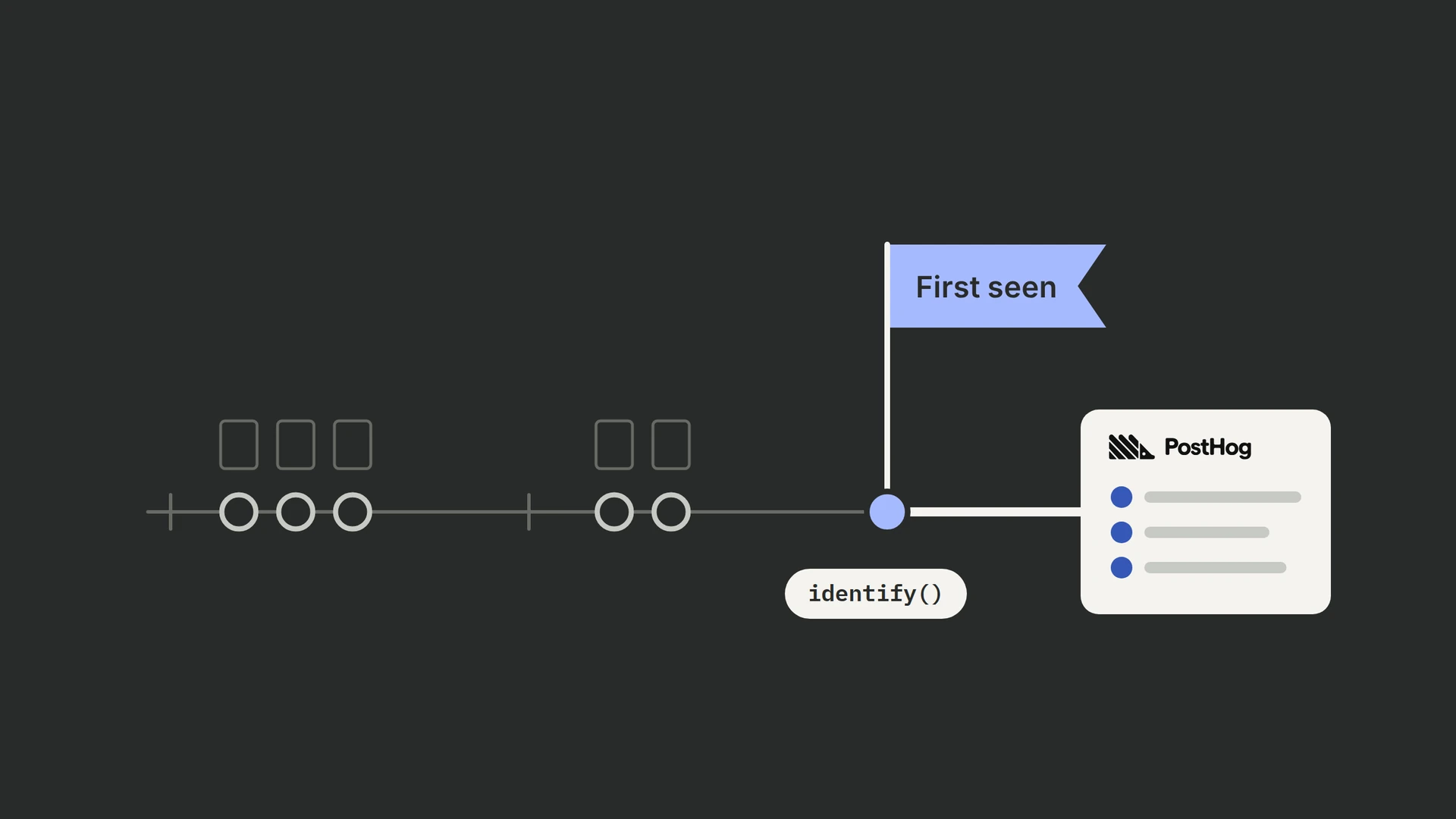
First seen is the time the person profile was created: the timestamp of the event that created it. (+) Under identified_only, a visitor who browses before they sign up or log in has no profile until identify() runs, so First seen is the moment they were identified.
We sent two anonymous page views dated 22 November and an identify dated 24 November, as posthog-js would for a visitor who comes back two days later. First seen was 24 November. The two page views still belonged to the person, so queries and insights that count the person's events included them. With posthog-js in a real browser, First seen was likewise the identify, 10 seconds after the first page view.
PostHog's data-model page describes this field as the timestamp of the earliest event associated with the person. (+) In our tests an older event processed later didn't move it: one test person's First seen stayed a day after their earliest event. When two persons merged, the profile kept the earlier creation time of the two. (+)
For the date of someone's first visit, use their earliest event. This query lists people whose first event came more than an hour before their First seen, for events in the last 90 days:
SELECT
  p.id AS person_id,
  p.created_at AS first_seen,
  e.first_event_at,
  dateDiff('hour', e.first_event_at, p.created_at) AS hours_between
FROM persons AS p
INNER JOIN (
  SELECT person_id, min(timestamp) AS first_event_at
  FROM events
  WHERE timestamp >= now() - INTERVAL 90 DAY
  GROUP BY person_id
) AS e ON e.person_id = p.id
WHERE e.first_event_at < p.created_at - INTERVAL 1 HOUR
ORDER BY p.created_at DESC
LIMIT 100
The query reads every event in the window, so start with a shorter one on a large project. The $initial_ properties, covered below, give the source of the first visit in the browser where the person was identified.
Why aren't my person properties updating?
Usually the update never reached a profile, a later update replaced it, or you are looking at the value an older event was stored with. Check in this order:
- Did the update leave your code? A server script that exits without
shutdown()can drop its queued events, and the older Python form above logs an error and sends nothing. - Did the event process a person? Events from anonymous visitors under
identified_onlycarry$process_person_profile: false, and PostHog drops their$setand$set_once. - Which person does the distinct ID belong to? After a merge, or when a shared device never called
reset(), an update can land on another person than the one you are looking at. An identify or alias with a placeholder ID such asnullorguestis refused. (+) - Was the value replaced? A
$setprocessed later wins, and$set_oncenever replaces a property that exists,nullincluded. - Are you reading an event's stored value? An insight filtered by a person property uses the value each event was stored with, as the section on event-time values explains.
- Did your tool send it as a person property? Some integrations send a customer's status only as an event property. A transformation can copy it into
$set, as our IP guide does for the visitor's IP address. - Did PostHog log a warning? Its ingestion warnings list refused merges, properties nested too deep, and distinct IDs so busy that PostHog skipped person processing for them. (+)
This query shows, for every distinct ID of the person behind user_123, which events processed a person, what each tried to set, and the plan each event was stored with. Run it in PostHog's SQL editor with your own distinct ID and property name in place of user_123 and plan:
SELECT
  timestamp,
  event,
  distinct_id,
  properties.$process_person_profile AS processed_person,
  JSONExtractRaw(properties, '$set') AS set_values,
  JSONExtractRaw(properties, '$set_once') AS set_once_values,
  person.properties.plan AS plan_when_stored,
  pdi.person.properties.plan AS plan_now
FROM events
WHERE person_id IN (
    SELECT person_id FROM person_distinct_ids WHERE distinct_id = 'user_123'
  )
  AND timestamp >= now() - INTERVAL 7 DAY
ORDER BY timestamp
processed_person is false on events stored without a person, and PostHog has removed their $set, so an empty set_values there means the update was dropped. Events that processed a person show it empty. PostHog keeps $set and $set_once on those events, although its person-properties page says it doesn't; from 30 November 2026 it keeps them for 60 days after it receives them, and the person keeps the values. (+) Check a missing update within that window.
What are the $initial_ properties, and why can they be wrong?
They record the first page's URL, referrer, UTM values and ad click IDs as one browser saw them. posthog-js stores them on the browser's first page and sends them as $set_once with the first event that processes a person, which is usually identify(). (+) So they describe the first visit in the browser where the person was identified. A visitor who first came on their phone and signed up on a laptop gets the laptop's first page.
Two details catch people out:
- **Missing values are stored as
null, and stay.** Our test visitor's$identifycarried 31$initial_values, most of themnullbecause the landing page had no such parameter. PostHog stored them, and a storednullblocks every later$set_once. - The first URL is kept with its query string, up to 1,000 characters. posthog-js also sends these values with every feature flag request, (+) which a
before_sendfilter on events doesn't cover. In our test, atoken=value in the landing page URL went out with every flag request from that browser and stayed in the person's$initial_current_url.
We found this while testing our WooCommerce plugin on a copy of a client's store: when a buyer's first page in a new browser was the order confirmation, the order key from its URL went out with that browser's flag requests. 99Trace now removes order keys from the stored first page. posthog-js can mask a parameter itself with mask_personal_data_properties and custom_personal_data_properties, but that setting also masks ad click IDs such as gclid and fbclid, which ad conversions need. (+) To remove only the secret, keep it out of URLs, or take it out before posthog-js loads:
<script>
  // Runs before the PostHog snippet: drop the secret from the address bar,
  // so posthog-js never sees it. Keeps UTM and other parameters.
  (function () {
    var url = new URL(window.location.href);
    if (url.searchParams.has('token')) {
      url.searchParams.delete('token');
      window.history.replaceState(window.history.state, '', url);
    }
  })();
</script>
Replace token with your parameter's name and place the script above the PostHog snippet; any code of yours that needs the parameter must run before it. In our test, the stored first URL and the flag requests then carried the UTM values without the token. A reload or bookmark of that page then arrives without the parameter, so where the page needs it to load again, keep the secret out of the URL instead.
How do feature flags use person properties?
A flag condition on a person property is checked against the person's stored properties plus any properties sent with the flag request, and a value sent with the request wins. (+)
We created a test flag that matched people with plan set to pro, sent a $set with that plan for an existing person, and asked PostHog for the flag every half second. It matched 1.2 to 1.9 seconds after the update was sent, in three runs on PostHog Cloud EU. Sending plan: 'pro' with the flag request matched at once, and sending plan: 'free' turned the flag off for a person stored as pro.
posthog-js sends the properties it knows with each flag request: the values from identify(), setPersonProperties() and setPersonPropertiesForFlags(), so a flag in the browser can match before the update is stored. It also sent the $set from an anonymous visitor's capture() call, which PostHog dropped from the person. In that browser the flag could match on a property the person never had; a server checking the same flag would see nothing.
posthog-js keeps these values in the browser's storage and sends them until resetPersonPropertiesForFlags() or reset() is called. (+) So when your server later changes a property the browser set, flags in that browser keep using the old value. After a server-side change, call setPersonPropertiesForFlags() in the browser with the new value, or resetPersonPropertiesForFlags().
- To target anonymous visitors by something the page knows, such as a country they picked, use
setPersonPropertiesForFlags(). It doesn't create a profile. (+) - On a server, pass the properties you just set to the flag call (
personPropertiesin Node,person_propertiesin Python). Local evaluation needs them. (+)
Can transformations and destinations read person properties?
Transformations can't. They run before PostHog processes the person and receive only the event and project. (+) They can write person properties, though, as the next answer shows.
Destinations read person.properties as they are when PostHog processes the event, and don't see properties added later. (+) A purchase sent from your server before the browser's identify() is processed goes out without the person's email. (+) Put what the destination needs on the event itself, or send the event after identification.
A destination that triggers on $set runs on every update the person gets. On one client store, a Meta destination that sent a Lead whenever a $set carried an email address sent about five Leads for every three people in its first day, because each address typed at checkout produced another $set. We limited it with the destination's trigger option to run once per person per interval.
Can transformations write person properties?
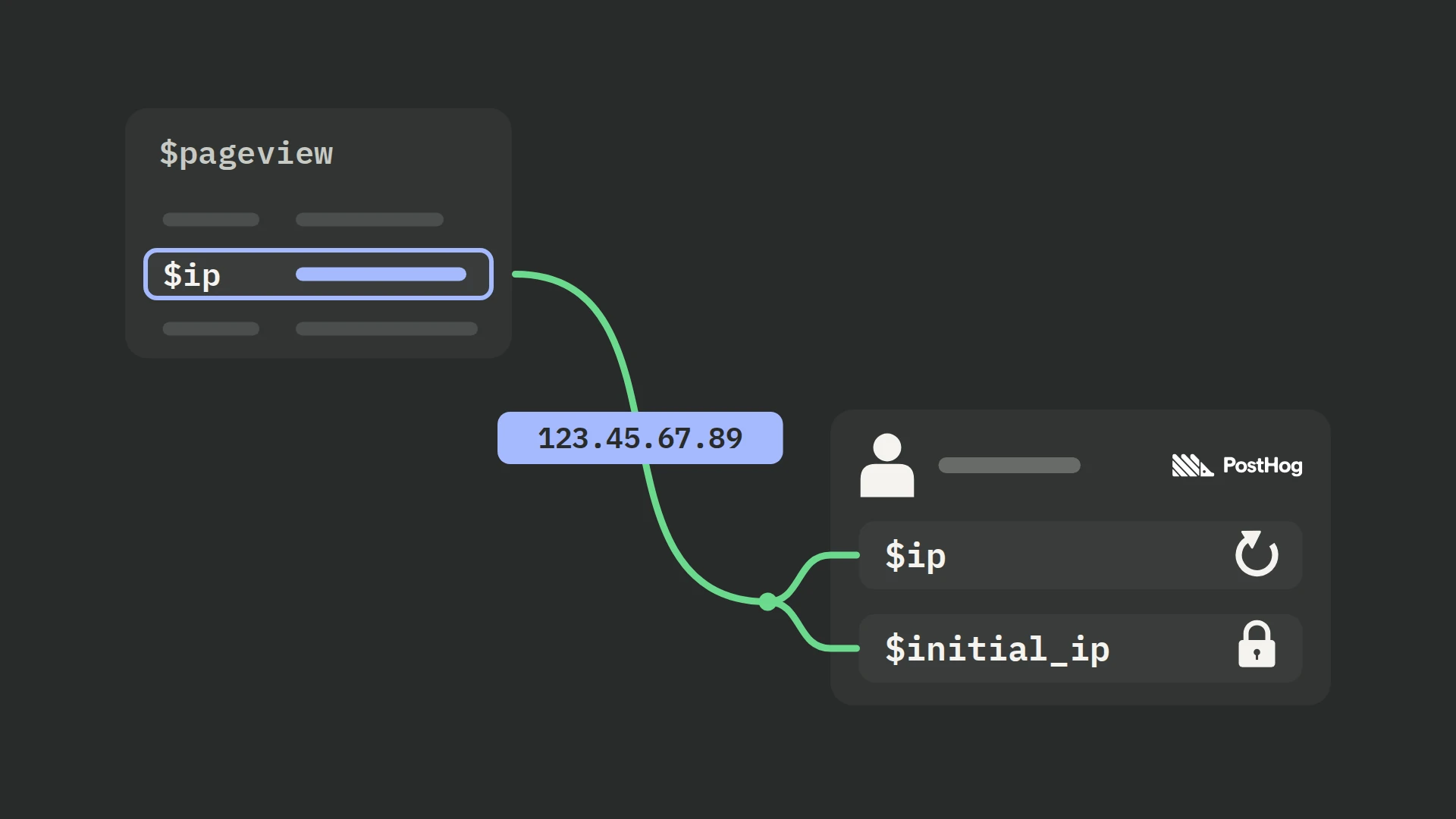
Yes. A transformation can add $set or $set_once to the event it returns, and PostHog applies them to the person when it processes the event. Our IP guide uses this to save each visitor’s IP on their person, step by step.
The update lands only on events that may update a person. With the default person_profiles: 'identified_only', PostHog drops $set and $set_once from anonymous events, so a transformation’s writes take effect only once the visitor has a person profile (see what identified_only changes).
What happens to person properties when two people merge?
When identify() merges an anonymous person into a known one, the values of the person being identified into win where both have a property. Properties only the anonymous person had are kept, and so is the earlier First seen. (+) In our test the anonymous person's older $set_once value lost too.
identify() and alias() never merge a person who is already identified into another person, and PostHog logs the ingestion warning "Refused to merge an already identified user". (+) In our test, an $identify and an alias that tried to join two identified test persons left them separate. $merge_dangerously can join them, and that merge can't be undone. (+)
We hit the same rule while testing 99Trace on a copy of a client's store: a guest purchase made in an in-app browser stayed apart from the existing account the buyer later logged in to on another browser. That is also why 99Trace doesn't alias every cart session: an early alias marks the person as identified and blocks the merge when the buyer later logs in.
Call posthog.reset() when a user logs out, so the next person on that device starts as a new anonymous visitor. (+)
What do person profiles cost?
Every event that processes a person is billed as an identified event, $identify and $set events included. In November 2026, PostHog's pricing page listed anonymous events at $0.00005 and identified events at $0.000198 each after the first million a month. Its calculator charges an identified event both, so at the first paid band one costs $0.000248, about five times an anonymous one at that band. (+ / +)
Keep profiles for people you analyze as people: logged-in users, buyers, anyone a flag targets by person property. For server events that need no person, set the $process_person_profile: false property on them. Our cost guide explains which distinct ID to use with it, and how to find what drives the bill.
Frequently asked questions
Can posthog-js read a person's properties in the browser?
No. posthog-js has no function that returns person properties: get_property() reads super properties, and get_distinct_id() returns the visitor's ID. (+) Read them on your server through PostHog's API, or deliver what the page needs as a feature flag payload.
Which person properties does PostHog set automatically?
From each event that processes a person, PostHog copies the browser, operating system, device type, current URL, referrer, UTM values and ad click IDs to the person, with $initial_ copies set once, and adds location from the IP address as $geoip_ properties. The person's browser and URL values change only when the person is written for another reason, so they may not show the latest visit. (+) The project setting Discard client IP data doesn't stop the location lookup, which runs first, (+) and server SDKs turn it off by default. (+)