Quick answer
Send purchases from the shop’s server, on the PostHog visitor the buyer had at checkout, and run PostHog in the browser for page views. A server-side plugin suits most stores. PostHog’s own snippet, with a purchase recorded on the thank-you page, and Tehster’s PostHog Integration come closest only where nearly all buyers pay by card or PayPal in the browser they shopped in. PostHog’s WooCommerce source adds order tables for SQL reports, not events. Compare more than purchases: a funnel also needs product views and the cart and checkout steps on the buyer’s person, and revenue matches WooCommerce only when refunds arrive too.
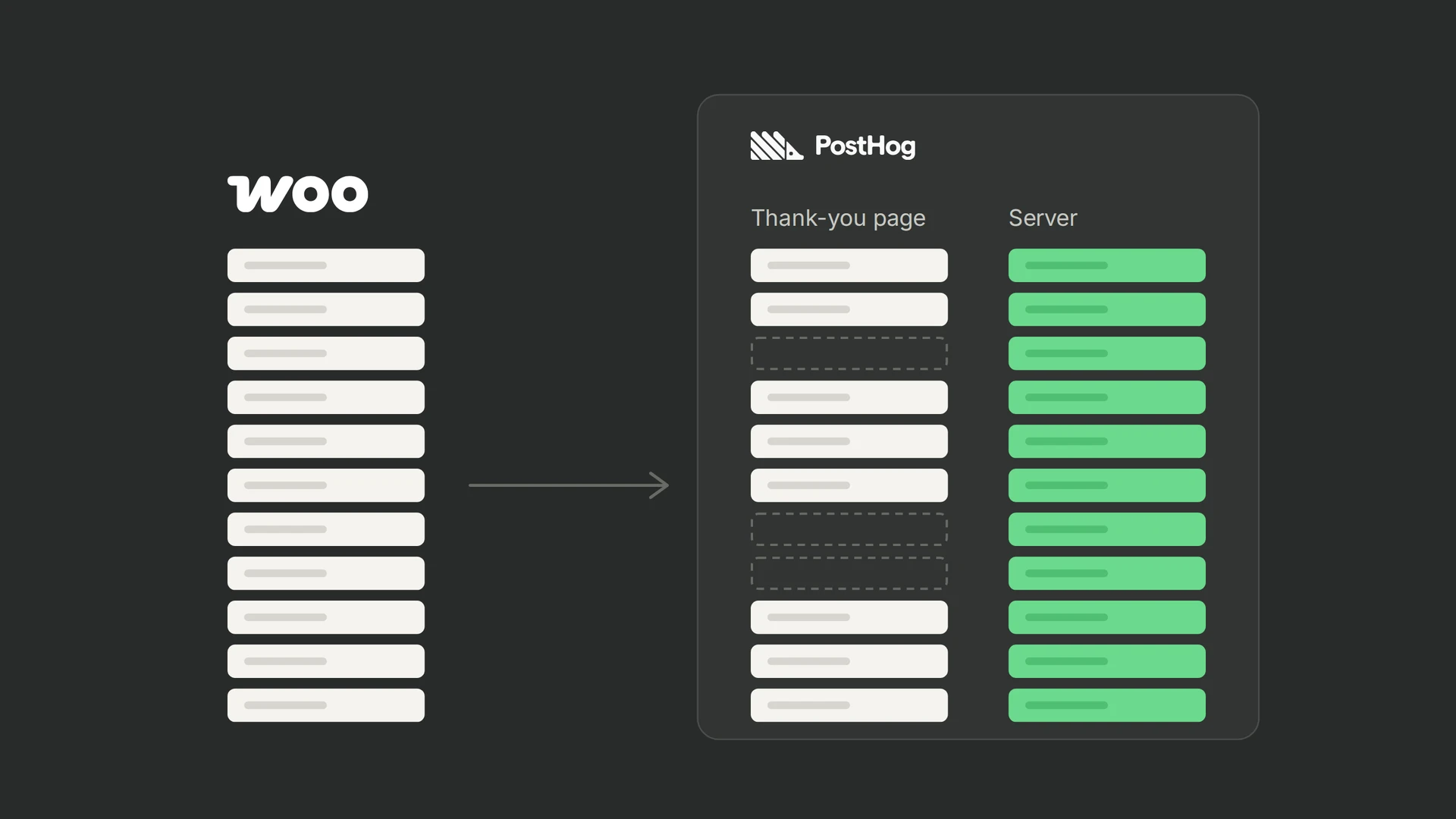
A purchase recorded on the thank-you page is lost, or lands on a new visitor, when the buyer comes back from a bank app or a payment page in another browser: on a store where most buyers pay that way, Tehster’s PostHog Integration, the thank-you-page plugin we replaced, recorded 73% of paid orders. In the five days after we moved that store to 99Trace, the free plugin we build, PostHog received every paid order, once each, with revenue equal to WooCommerce’s to the cent.
99Ways builds 99Trace and runs it on the client stores we set up. It is free and open source under the GPL, with its code on GitHub, and not affiliated with PostHog or WooCommerce. Below, it gets a limit like every other option, and the comparison says when another one is the better choice. A WordPress site without a shop needs only the snippet from our WordPress guide, and a Shopify store follows our Shopify guide.
Which way of connecting PostHog to WooCommerce should you choose?
Choose by how the purchase reaches PostHog: from the buyer’s browser when the thank-you page loads, from the shop’s server when WooCommerce marks the order paid, or as a table synced later. Only the server-side ways keep a purchase when the buyer pays in another browser or blocks PostHog, and only those that save the buyer’s PostHog ID at checkout, or match the buyer by the e-mail typed there, put it on the visitor who browsed. These are the five ways, with prices and install counts as of November 2026:
| Option, and how purchases reach PostHog | Choose it when | Limit |
|---|---|---|
| PostHog’s JavaScript snippet. PostHog’s WooCommerce guide adds the snippet with WPCode and turns a click on a button into a conversion goal. (+) For purchases, define an action on page views of WooCommerce’s order-received page, the thank-you page, or add a short script there that captures the purchase with the order’s number and total. (+ / +) | You want page views, clicks, funnels and session replay without a plugin, and purchases counted on the thank-you page are enough | Records the purchase only when the thank-you page loads in the browser the buyer shopped in, as Tehster’s plugin does; an action on page views counts orders without their totals, a reload counts the order again unless your script prevents it, and refunds never arrive |
| Tehster’s PostHog Integration, €90 or $99 a year in November 2026, (+) records the purchase when the thank-you page loads, from tracking that runs mostly in the browser, and identifies a guest by the billing e-mail. (+) | Nearly all your buyers pay by card or PayPal, and a few percent of orders missing or doubled won’t change your decisions | It recorded 73% and 96% of paid orders on the two stores in the next section, both behind a cookie banner that holds PostHog until the buyer answers, and added purchases for reloads and unpaid orders; its documentation lists no refund event |
| 99Trace, the free plugin we build. The shop’s server sends the purchase when WooCommerce marks the order paid, on the visitor saved at checkout (how it works). | You want every paid order once, on the buyer’s visitor, with refunds and cart events, in funnels and experiments | Public since November 2026, maintained by 99Ways and run mainly on our client stores; installed and updated from GitHub by hand until WordPress.org lists it; needs WP-Cron; sends no orders from before it was switched on, and none created in the admin; sends each order ten minutes after payment by default, dated at the payment; never joins a guest’s two devices by e-mail |
| AG Data for PostHog, another free plugin. The shop’s server sends the purchase when an order enters a paid status, linked to the visitor through PostHog’s cookie and joined to the buyer’s billing e-mail. (+ / +) | You want first- and last-touch UTM parameters and ad click IDs on each order | Fewer than 10 active installations in November 2026; in version 1.6.2 its consent mode holds back only the browser script, so the server still sends each purchase, and sets the buyer’s e-mail, name and phone on the person, whatever the visitor chose. (+ / + / +) We have not run it |
| PostHog’s WooCommerce source. Orders, products, customers and coupons sync into PostHog’s data warehouse as tables, not events, through a WooCommerce REST API key. (+) | You want order and revenue reports in SQL beside an event setup, including orders from before you started tracking | Orders sync as rows apart from your events, so tying them to visitors needs a join of your own |
Two more routes exist: a Google Tag Manager tag that sends the purchase from a WooCommerce data layer on the thank-you page, which records the purchase on that page just as PostHog’s snippet can, and WooCommerce webhooks into PostHog’s incoming webhooks, which PostHog calls experimental and keeps behind a feature preview in November 2026. (+) Smaller plugins are under other plugins we reviewed.
Another option is better than 99Trace when you need orders from before the switch in PostHog, which 99Trace never sends, or when your host can’t run WordPress’s scheduled tasks, which 99Trace needs to send orders on time. And if you want a guest’s browsers and devices joined into one person by the e-mail typed at checkout, Tehster’s plugin and AG Data for PostHog do that; 99Trace never matches people by e-mail.
How many paid orders did Tehster’s plugin and 99Trace record on the same stores?
Tehster’s PostHog Integration recorded 73% of paid orders on a store where most buyers pay on their phone with bank-redirect methods that hand payment to a banking app, or with a bank’s own app, and 96% on one paid mostly by PayPal and card; 99Trace recorded every paid order on both. On the first store, PostHog had 74% of the revenue in the week before we replaced Tehster’s plugin, which records the purchase on the thank-you page, (+) and every paid order in the five days after we switched to 99Trace.
| Measure | Tehster’s PostHog Integration | 99Trace |
|---|---|---|
| All paid orders | 73% | 100% |
| Revenue | 74% | 100%, equal to the cent |
| Bought on a phone | 67% | 100% |
| Bought on a desktop | 90% | 100% |
| Paid with a bank-redirect method | 72–73% | 100% |
| Paid through a bank’s own app | 57% | 100% |
| Paid by card | 82% | 100% |
| Paid with PayPal or Apple Pay | 94–97% | 100% |
| Recorded more than once | 2% of orders | None |
| Purchases for orders never paid | 1 in 80 purchases | None |
A purchase recorded on the thank-you page, by PostHog’s snippet or by a plugin that fires when the page loads, depends on the buyer’s browser reaching that page with PostHog running and knowing who they are. Five ordinary situations break it:
- Payment redirects. The buyer pays in a bank app or on the payment provider’s page and comes back in another browser, where PostHog has never seen them and the cookie banner holds it back. Most of the missing orders above were phone buyers paying in a bank app, and the plugin’s purchase script ran before they answered the banner: in an earlier week on the same store, about four in ten missed orders had the thank-you page view in PostHog but not the purchase.
- In-app browsers. A shopper browses inside Instagram or Facebook, pays, and lands in Safari or Chrome: one buyer, two visitors. In that earlier week, PostHog had about half the purchases of buyers who started in those in-app browsers.
- Ad blockers. When the browser blocks PostHog’s requests, the purchase is never recorded. (+)
- Reloads. A reloaded or reopened thank-you page records the same order again: 2% of the orders above were recorded two or three times.
- Unpaid orders. About 1 in 80 of the plugin’s purchases belonged to an order that ended cancelled, failed or unpaid.
Because these losses depend on payment method and device, they can bias an A/B test, not only shrink it: phones lost a third of their purchases and desktops a tenth, so a variant that draws more phone buyers loses more of its purchases. Conversions sent from PostHog to ad platforms miss the same buyers, most of all those from Facebook and Instagram ads, who shop in the in-app browsers.
On the second store, most buyers pay with PayPal or a card in the browser they shopped in. The same plugin recorded 96% of its paid orders and sent 4% of them twice; in the six days after we switched it, 99Trace delivered every paid order, each once.
What does each method send besides purchases?
Purchases are one event of several. A funnel from product page to purchase also needs the product, cart and checkout steps, on the same person as the purchase, and revenue in PostHog only follows WooCommerce when refunds arrive too. The methods differ as much here as for orders:
| Option | Refunds and cancellations | Cart and checkout | Product and page views |
|---|---|---|---|
| PostHog’s JavaScript snippet | None | Through actions you define on clicks and page views, or capture calls you add | Page views and autocaptured clicks (+) |
| Tehster’s PostHog Integration | None in its documentation | Add to Cart, Cart Viewed, Checkout Started, Coupon Applied | View Product, View Shop, View Category, View Tag and, optionally, View Post (+) |
| 99Trace | Order Refunded, Order Cancelled and Payment Failed, from the server | Product Added, Product Removed, Coupon Applied, Coupon Removed and Checkout Started from the server; Cart Viewed in the browser | Product Viewed, View Category and Order Confirmation Viewed, plus PostHog’s page views, with its browser module on (event list) |
| AG Data for PostHog | Order Refunded and Order Status Changed, from the server | Product Added from the server; Product Removed, Coupon Applied, Coupon Removed, Cart Viewed, Checkout Started and Payment Info Entered | Product Viewed, Product Clicked, Product List Viewed and Products Searched (+) |
PostHog’s WooCommerce source sends no events; its tables hold products, orders, customers, coupons and more, for SQL. (+) Cart events sent from the server still arrive when an ad blocker stops PostHog in the browser, as long as the server knows the visitor: 99Trace shares a first-party visitor ID with the browser, so its cart events stay on the buyer’s person.
99Trace also copies the feature flags the buyer had at checkout onto the purchase, so you can audit which experiment variant each order came from; every property of the purchase is in its documentation.
Whichever method you choose, check checkout pages that put the product in the cart when they open, as one-page funnel checkouts often do. Each visit then records an add to cart, and ad platforms fed from that event count every checkout load as one. 99Trace leaves those carts out by default; with another method, exclude them in the plugin or in the destination.
What should you ask of a WooCommerce plugin for PostHog?
Ask these questions of any plugin, ours included. A “no” to one of the first five is a way purchases go missing, count twice or land on the wrong person. This is how the three plugins compared above answer them, as of November 2026:
| Question | Tehster’s PostHog Integration | 99Trace | AG Data for PostHog |
|---|---|---|---|
| Is the purchase sent from the server when WooCommerce marks the order paid, not when a page loads? | No, when the thank-you page loads (+) | Yes | Yes, when the order enters a paid status (+) |
| Is each order sent once, whatever the reloads and retries? | No: 2% and 4% of orders twice on the two stores above, and purchases for unpaid orders | Yes, with one event ID per order | Yes: it marks the order once PostHog accepts the purchase |
| Is the purchase linked to the PostHog ID the buyer’s browser had at checkout? | It identifies the guest by the billing e-mail | Yes, the visitor saved at checkout | Yes, through PostHog’s cookie (+) |
| Are refunds and cancellations sent? | None in its documentation | Refunds, cancellations and failed payments | Refunds and every change of order status |
| Do the server events follow your consent settings? | Its documentation doesn’t say | Yes | No: in version 1.6.2 the server sends each purchase, with the buyer’s e-mail, name and phone, whatever the visitor chose (+ / +) |
| Does it join a guest’s browsers and devices into one person, and how? | Yes, by the billing e-mail | No | Yes, by the billing e-mail |
| Who maintains it, how many stores run it, and does it update from the WordPress dashboard? | Tehster, sold on WooCommerce.com for €90 or $99 a year | 99Ways; it runs mainly on our client stores and updates by hand from GitHub until WordPress.org lists it | Fewer than 10 active installations; it updates from WordPress.org (+) |
99Trace answers yes to the first five, the problems we built it for. What else it doesn’t do is in the limits in its documentation. Our WordPress guide compares the PostHog plugins for WordPress, for sites that need page views more than orders.
How do you set up each method?
These are the short versions, with where the full instructions are:
- PostHog’s JavaScript snippet. Add PostHog’s snippet to every page. PostHog’s WooCommerce guide uses the free WPCode plugin; (+) our WordPress guide compares it with the other ways to add the snippet. To count purchases, create an action in PostHog that matches page views whose URL contains
order-received. (+) - Tehster’s PostHog Integration. Buy and install it from WooCommerce.com and set it up as its documentation describes. (+)
- 99Trace. Upload the zip from its latest GitHub release and follow its setup guide on 99trace.com: connect your PostHog project, place a test order in Test mode, choose your consent setting, then run PostHog in the browser and set the mode to On. Every setting is in its documentation. If PostHog already runs on the site, follow its guide to switching from another PostHog setup: remove the other PostHog snippet, plugin or Google Tag Manager tag just before you switch on 99Trace’s browser module, so the shop never runs two copies of PostHog and, with the same project key, returning visitors keep their PostHog ID.
- AG Data for PostHog. Install it from WordPress.org. It loads PostHog in the browser itself, (+) so remove any other PostHog snippet or plugin first.
- PostHog’s WooCommerce source. In WooCommerce, add a REST API key with at least Read permission under WooCommerce → Settings → Advanced → REST API; the store must use HTTPS. Then add WooCommerce as a source in PostHog’s data warehouse with that key, and choose the sync method and frequency. (+)
How do you check that PostHog has every WooCommerce order?
Check the first real orders after switching on, whichever method you chose. A test order you place on the live shop counts in PostHog and in any ad destinations fed from it, so refund it afterwards and keep its order number to exclude it. Once the order is paid (99Trace waits ten minutes by default):
- One purchase. In PostHog’s Activity, find the purchase event for the order. (+) It appears once, with the order total as revenue and the payment time as its timestamp.
- The right person. Open the person behind the event. The page views from before checkout and the purchase are on the same person.
- No second send. Reload the thank-you page and check that no second purchase arrives.
- Refunds. Refund the test order in WooCommerce and check that a refund event reaches the same person, if your method sends refunds.
With 99Trace, the order screen also shows the identity saved at checkout and when each event was sent, and WooCommerce → Status → 99Trace counts the last 30 days’ paid orders by delivery state; its documentation lists these checks.
Experiment conversion metrics only see purchases linked to a visitor. Before you read an A/B test result, compare the linked share between the arms.
Reconcile a week of orders
After a week, compare whole days with WooCommerce. This query, run in PostHog’s SQL editor, counts purchase events, distinct orders and repeated sends for the last seven full days. With another plugin, replace Order Completed with its purchase event:
SELECT
  count() AS purchase_events,
  count(DISTINCT properties.order_id) AS orders,
  purchase_events - orders AS repeated_sends,
  round(sum(toFloat(properties.revenue)), 2) AS revenue
FROM events
WHERE event = 'Order Completed'
  AND timestamp >= toStartOfDay(now()) - INTERVAL 7 DAY
  AND timestamp < toStartOfDay(now())
In WooCommerce, keep Analytics → Settings → Date type on Date paid, the default, and open Analytics → Orders for the same seven days. (+) orders should equal WooCommerce’s order count, and repeated_sends should be 0. For revenue, compare like with like: revenue here is what buyers were charged at checkout, while WooCommerce’s revenue figures subtract returns, (+) so subtract the refunds PostHog received before you compare, and check whether the WooCommerce figure includes tax and shipping. Set your PostHog project and your shop to the same timezone, or orders near midnight fall on different days.
To find the orders behind a gap, this query lists the ones PostHog has more than once. For missing orders, drop its HAVING line, add LIMIT 50000, and compare the order IDs with WooCommerce’s orders for those days:
SELECT
  properties.order_id AS order_id,
  count() AS purchases
FROM events
WHERE event = 'Order Completed'
  AND timestamp >= toStartOfDay(now()) - INTERVAL 7 DAY
  AND timestamp < toStartOfDay(now())
GROUP BY order_id
HAVING purchases > 1
ORDER BY purchases DESC
Some differences are expected. Check what your method does with orders created in the WooCommerce admin (99Trace doesn’t send them), with orders from buyers who refused consent, and with paid orders later cancelled, which WooCommerce Analytics leaves out by default. A query run just after midnight can miss orders still waiting to be sent. Revenue also differs on orders edited after payment: when staff remove an item and refund it, WooCommerce lowers the order’s total, while 99Trace keeps the amount charged and sends the refund separately. On the second store, a few such orders made up the whole revenue difference over six days.
Which other WooCommerce plugins send data to PostHog?
Five more plugins send WooCommerce data to PostHog. We have not run them, so they stay out of the tables above; ask them the questions above before you choose one:
- WP Zinc’s Integrate PostHog Web Analytics, free, with 300+ installations, (+) sends the purchase from the server when the thank-you page loads, if the browser has a PostHog cookie, without checking payment. It also sends cart and checkout events from the server with that cookie, and no refunds. (+ / +)
- Analytics Integration for PostHog, WP, & WC, with 20+ installations, last updated in September 2025. (+)
- Pressed Hog, with fewer than 10 installations. (+)
- Tagbridge, with fewer than 10 installations, says it sends the purchase from the server with an ID per order and that its consent rules cover server events too. (+)
- Conversion Relay, with fewer than 10 installations, says it sends the purchase from the server with an ID per order. (+)
How does 99Trace compare with Tehster, AG Data and PostHog’s snippet?
99Trace and AG Data for PostHog send purchases from the server; PostHog’s snippet and Tehster’s plugin record them on the thank-you page. The percentages for Tehster and 99Trace are from the two stores measured above. AG Data was not run there: its figure is our estimate, since it sends every order that reaches a paid status from the server but doesn’t retry a send that fails. Side by side:
| What you get | PostHog’s JavaScript snippet | Tehster’s PostHog Integration | 99Trace | AG Data for PostHog |
|---|---|---|---|---|
| How the purchase reaches PostHog | From the browser, when the thank-you page loads | From the browser, when the thank-you page loads | From the server, when the order is paid | From the server, when the order is paid |
| Paid orders in PostHog where most buyers pay in a bank app | Not measured | 73% | 100% | About 95% |
| Paid orders in PostHog where most buyers pay by card or PayPal | Not measured | 96% | 100% | About 97% |
| Orders recorded more than once | Each reload, unless your script prevents it | 2% and 4% of orders | None | Once per order by design; not measured |
| Refunds | None | None in its documentation | Sent from the server | Sent from the server |
| Product, cart and checkout events | Page views and clicks; cart steps through actions you define | From the browser | Product views in the browser; cart and checkout from the server | Product Added from the server; the rest listed without saying where |
| Purchases without consent | Held with the snippet, by your cookie banner | Its documentation doesn’t say | Sent anonymously or not at all, as you choose | Sent with the buyer’s details whatever the visitor chose |
| Price | Free | €90 or $99 a year | Free | Free |
| Choose it when | You need page views more than orders | Nearly all buyers pay by card or PayPal in the browser they shopped in | You want every paid order once, on the buyer’s visitor, with refunds | You want UTM parameters and ad click IDs on each order and handle consent yourself |
Frequently asked questions
Is there an official PostHog plugin for WooCommerce?
No. PostHog documents two WooCommerce setups: a guide that adds its browser snippet with a code plugin and turns clicks into conversion goals, and a data warehouse source that syncs store tables. (+ / +) Every plugin that sends WooCommerce events to PostHog, 99Trace included, comes from another company.
Do I still need the PostHog snippet with a server-side plugin?
Yes, for page views, funnels from product page to purchase, session replay and experiments: server events give you orders, refunds and cart changes, but not the pages that led to them. 99Trace’s browser module and AG Data for PostHog run PostHog in the browser themselves. Keep exactly one copy of PostHog on each page: two copies split every visitor in two.
Can I get past WooCommerce orders into PostHog?
Can I send WooCommerce purchases to Meta or Google Ads?
Yes, through PostHog’s destinations, which is how we send conversions to ad platforms for client stores. Each destination sends what PostHog has, so a purchase recorded twice reaches the ad platform twice, and one recorded for an unpaid order counts as a sale there. A purchase sent from the server without a visitor, as 99Trace does for buyers who refused consent, carries the shop server’s IP address; in each destination, leave those out or send them without an IP. Our ad destinations guide covers the setup.
Does any plugin make PostHog on WooCommerce GDPR compliant?
No plugin can do that on its own: what you need depends on your country, your shop and what you record. Look for controls that cover purchases sent from the server as well as the browser: what happens before the visitor answers the banner, whether an order without consent is sent anonymously or not at all, and switches for IP addresses and customer details. With a cookie banner, we set 99Trace to keep each visit in the page until the visitor accepts and then send it, and to count orders without consent anonymously; its privacy page compares the consent settings.