Elevate is one of the most complete A/B testing apps you can install on a Shopify store. It tests themes, templates, page content, split URLs, prices, shipping rates, product images and Shopify Plus checkouts from one dashboard, reports revenue and profit per visitor, and adds little weight to the storefront. Pricing starts at $49 a month, and price testing starts at $99.
For most Shopify brands with steady order volume, that combination makes Elevate a strong default. Its merchant reviews are almost uniformly positive, and the product has been moving quickly through 2026.
One part needs your attention before you trust a result. Out of the box, Elevate can call a winner at a 90% "probability to win" after three days and 20 conversions per variation. In our simulation of tests where nothing changed, those defaults crowned the variant about a third of the time when results were checked daily and acted on at the first "Significant" status. Every one of those settings can be changed, and the section on how Elevate decides a winner shows what we would change on day one.
Quick verdict
Choose Elevate if you want one Shopify-native tool for both storefront tests (themes, templates, content) and money tests (prices, shipping thresholds), at a lower entry price than most rivals, and you are willing to set its statistics deliberately.
Look elsewhere if your store has too little volume for any A/B test to conclude, if you sell through a headless storefront and need price tests, or if your team needs warehouse-native analysis and frequentist sequential testing for decisions across many teams.
| Elevate | |
|---|---|
| What it is | A Shopify app for A/B tests, price tests and personalization |
| Best for | Shopify brands with roughly 1,000+ orders a month that want storefront and pricing experiments in one tool |
| Test types | Theme, template, product, content (visual editor), custom code, split URL, price, shipping, product image, checkout (Plus) |
| Statistics | Bayesian probability to win; threshold, sample minimums and runtime configurable |
| Price | Basic from $49/month, Standard (price and shipping tests) from $99, Premium from $499; scales with orders; 40% off yearly |
| Free trial | 14 days |
| Shopify App Store | 4.9 stars from 142 reviews (October 2026); no Built for Shopify badge |
| Storefront footprint | About 14 KB compressed script, synchronous in the page head; no page hiding |
| Main caution | Default winner rules favor speed over certainty |
Who makes Elevate
Elevate is developed by a small, privately held company based in New York. It is the developer's only Shopify app. The listing went live on 22 December 2020, but most of the product's public history is recent. The website was rebranded in 2023, the listing collected 11 reviews in its first three years and then 22 in 2024, 49 in 2025 and 61 so far in 2026, and Elevate's Product Hunt launch in early 2026 spoke of "26 months of building". Karim Zitouni is co-founder and CEO, and LinkedIn lists 11 employees. We found no record of outside funding.
A small team explains two things you will notice. Support is personal: reviewers often name the people who helped them. And the product changes quickly: server-side event tracking, consent controls, an API, an MCP server for AI assistants and headless SDKs are all recent additions to the documentation.
What you can test with Elevate
Elevate covers more test types than most Shopify-native apps. Plan gates matter, though: price, shipping, product image, checkout and custom-code tests need the Standard plan or above, and multi-currency and subscription price tests need Premium.
| Test type | How it is delivered | Plan |
|---|---|---|
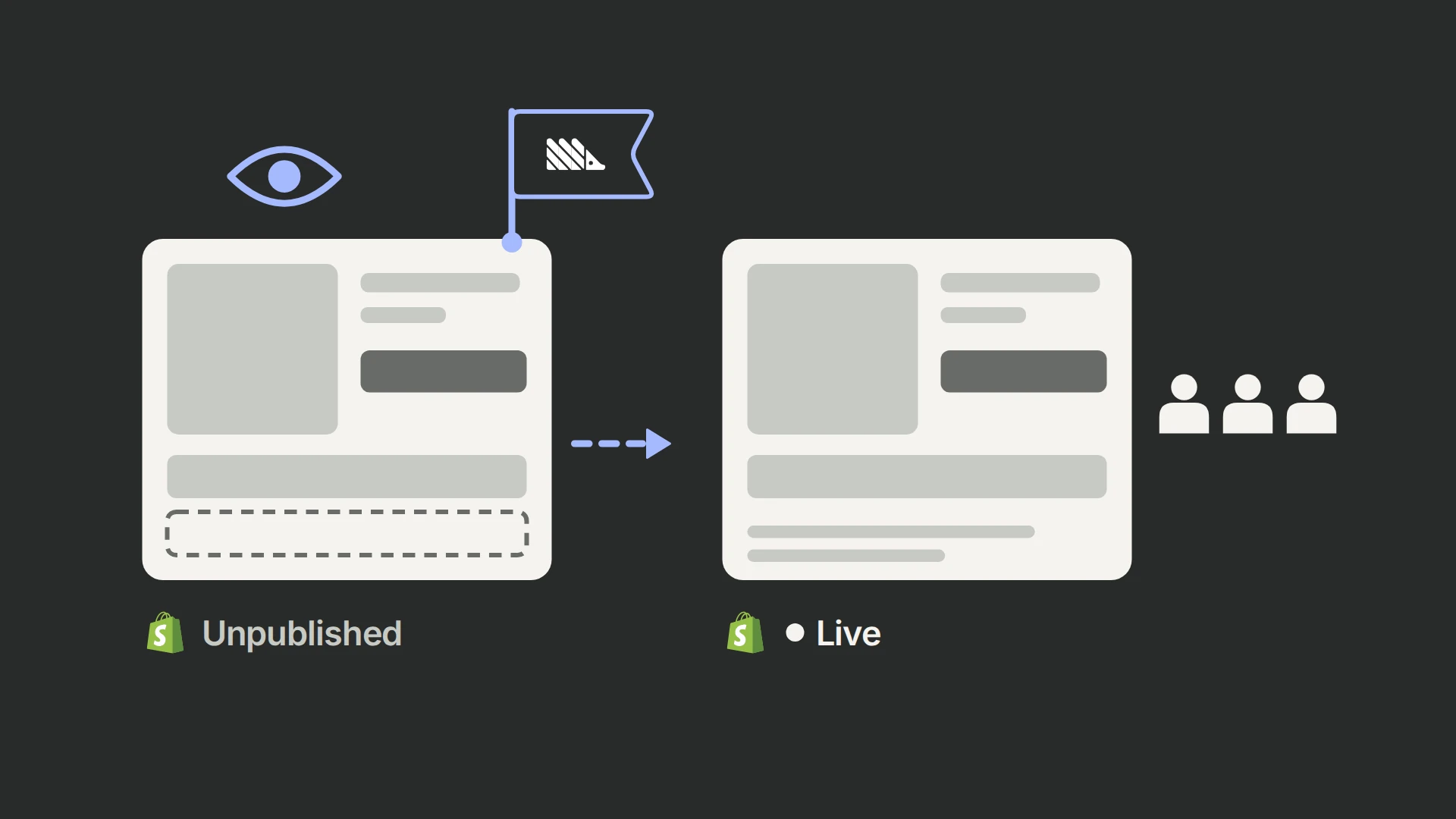
| Theme | Visitors in the variant see another theme as a Shopify theme preview, with the preview bar removed | Basic |
| Template (page) | Variant visitors get an alternate template through a ?view= parameter | Basic |
| Split URL | Redirect to a different URL, on every visit, only from the control URL, or once per visitor | Basic |
| Content (visual editor) | Text, style, image and layout changes applied as elements render | Basic |
| Product (titles, descriptions, bundles) | Redirect to an unlisted duplicate of the product; up to 500 products, groupable | No plan restriction documented |
| Price and compare-at price | Prices rewritten on the page; the same price charged at checkout; up to 500 products and 10,000 variants | Standard |
| Shipping | Different shipping rates or free-shipping thresholds at checkout; needs carrier-calculated rates | Standard |
| Product image | Images swapped as they render | Standard |
| Custom code (CSS/JS) | Code injected early; CSS changes do not flicker | Standard |
| Checkout | Checkout extensions rendered natively in Shopify checkout; requires Shopify Plus | Standard |
| Multi-currency and subscription prices | Market-specific prices; Recharge subscriptions | Premium |
Every test supports two to five variations and audience targeting across 13 dimensions, including device, country, Shopify Market, traffic source, UTM parameters, entry page, login status and new versus returning visitors; Basic gets the simpler targeting. There is no test scheduling and no targeting by customer tags. Traffic isolation keeps visitors in an isolated test out of other isolated tests, which matters when two experiments touch the same page or product.
Price tests are Elevate's most important capability
Price testing is where the money is and where most tools are weakest, so it deserves a closer look.
Elevate changes the price of the existing product. It creates no duplicate products, so reviews, inventory and analytics stay on one record. A visitor sees the test price everywhere the theme shows it, including variant changes, quick views and cart drawers, and is charged that price at checkout. Elevate says this works on any Shopify plan. The first price test on each store is reviewed by Elevate's technical team, which typically takes 2 to 12 hours, to confirm prices update consistently; prices inside other apps' widgets, such as bundles or upsells, may need that team's help.
Three defaults show care for real-world pitfalls. Visitors arriving from Google Ads and Google Shopping are excluded from price tests and see the control price, so ads, product feeds and landing pages agree; Google treats a price shown to users that differs from the price its crawler sees as a mismatch that can get products disapproved (Google). We could not observe a live price test, so verify this exclusion yourself before launch (see the setup checklist). Discount codes stack on top of test prices, so a sale run as a discount keeps the comparison valid. And Elevate recommends revenue per visitor as the goal, with profit per visitor once you add cost of goods.
Two limits to note: price testing is not available on headless storefronts, and testing prices in more than one currency requires Premium unless your store exceeds 30,000 orders a month. On Shopify Plus, Elevate's documentation refers to Shopify's cart transform function for setting prices. Shopify allows that function to override prices only on Plus and development stores (Shopify), and Elevate does not describe the method it uses on other plans. Ask Elevate how prices are enforced on your plan, and place a real order in each variation before launch.
Shipping and checkout tests
Shipping tests change only the rates at checkout, so nothing on the storefront moves and there is no flicker. Elevate supplies the rates through Shopify's carrier service, so you need third-party carrier-calculated rates, available on Advanced and Plus, with annual billing on other plans, or as a paid add-on. You can test free-shipping thresholds, flat rates, free against paid shipping and delivery speeds, one shipping zone per experiment and across all products. They are among the highest-leverage tests a Shopify store can run, because thresholds move both conversion rate and order value, and Elevate counts shipping revenue in these tests.
Checkout tests use Shopify's checkout extensions and therefore require Shopify Plus. They add components such as banners, trust badges, payment icons, testimonials and upsells; they cannot change checkout fields, layout or step order, and there is no live preview before launch.
Personalization, AI ideas and headless
The same targeting engine can serve personalizations, which show a chosen experience to an audience permanently, with no control group. AI test suggestions are included from the Standard plan. For headless stores, Elevate offers an SDK for Hydrogen, Next.js and Remix, limited to split-URL, content and custom-code tests and listed under Premium.
How Elevate decides a winner
Elevate uses a Bayesian model. For conversion-type goals (conversion rate, add-to-cart rate, checkout-start rate) it treats each visitor as converting or not; for revenue-type goals (revenue per visitor, average order value, profit per visitor) it uses a model built for data with many zeros and a few large values (Elevate docs). The headline number is probability to win: the estimated chance that each variation is the best, adding up to 100% across variations.
An experiment declares a winner only when four conditions hold at the same time: a variation passes the significance threshold, every variation has a minimum number of visitors, every variation has a minimum number of conversions, and the experiment has run a minimum number of days (Statistical Configurations).
| Setting | Default for most stores | Default above $100K monthly order revenue |
|---|---|---|
| Significance threshold (probability to win) | 90% | 90% |
| Visitors per variation | 500 | 2,500 |
| Conversions per variation | 20 | 100 |
| Minimum running days | 3 | 3 |
| Large orders | Capped at 3× average order value | Capped at 3× average order value |
Checkout experiments use lower visitor minimums: 40 per variation, or 100 for larger stores.
These defaults are tuned for speed, which is a defensible product choice for merchants who would otherwise never conclude a test. Their cost does not appear on the dashboard: false winners. Elevate's own AOV test calculator illustrates the tension. With its default inputs it says a 7% order-value lift needs 764 orders per variant, while the app's default minimum before calling a winner is 20 conversions.
What the defaults mean in practice
To size that cost, we simulated 20,000 A/A tests per scenario, in which both versions are identical, using a standard Bayesian conversion model with Elevate's documented rules. Each simulated test ran for four weeks, was checked daily, and was acted on at the first "Significant" status, which is what Elevate's help center tells merchants to wait for.
| Decision rule | Variant wrongly declared the winner | Any winner declared (variant or control) |
|---|---|---|
| Elevate defaults: 90%, 3 days, 20 conversions, act at first "Significant" | 31–32% | 62–65% |
| 95% threshold, 3-day minimum | 19% | 37–40% |
| 95% threshold, 14-day minimum | 12% | 24% |
| 99% threshold, 7-day minimum | 4–5% | 8–9% |
| 95% threshold, read once at a pre-set end date (day 28) | 5% | 10% |
99Ways simulation: Beta(1,1) priors, conversion-rate goal, 2.5% baseline conversion rate, 300 and 1,500 visitors per variation per day (ranges cover both store sizes), 28 days, daily checks. Elevate's exact model and status logic may differ in detail; the decision rule is the documented one.
Stricter rules cost speed. In the larger scenario (1,500 visitors per variation per day), a real 10% lift was called correctly in 90% of simulated tests under the defaults, usually by day five, and in 82% of tests with a 95% threshold and a 14-day minimum.
Elevate's defaults find real winners quickly, and they also crown the variant in about a third of tests where nothing changed. A 95% threshold with a 14-day minimum cuts those false winners by more than half while still catching most real 10% lifts on a mid-size store.
None of this is unique to Elevate. Any dashboard that is read continuously and acted on at the first threshold crossing inflates false positives; statisticians call it the peeking problem. The 90% threshold itself is common: Optimizely also defaults to 90%, but its engine is built for continuous monitoring, with sequential testing and false-discovery-rate control. A fixed probability threshold checked daily has no such protection. What matters for a buyer is that Elevate exposes every one of these settings, store-wide.
The settings we would change on day one
| Setting (Settings → Statistical Configurations) | Default | Our recommendation |
|---|---|---|
| Statistical significance threshold | 90% | 95%; 99% for decisions that are expensive to reverse, such as permanent price changes |
| Minimum running days | 3 | 14, so every test covers two full weekly cycles |
| Visitors and conversions per variation | 500 and 20 (2,500 and 100 for larger stores) | The sample size from a pre-test calculation for the smallest lift worth detecting |
| Exclude test outliers | On, capped at 3× AOV | Keep on; consider the 99th-percentile method if order values vary widely |
| Exclude free gifts | Off | On if you run gift-with-purchase or bundle apps |
Then decide each test's end date before launch and read the result once at that date; Elevate's own documentation gives the same advice. Elevate shows an "Unlikely to be Significant" status when a test is on track to take an unreasonably long time; treat it as permission to stop a futile test early. Stopping a futile test early costs little, while stopping a winner early is how false winners get shipped.
Two numbers to read carefully
Projected revenue. Elevate projects the winning variation's extra revenue over the next 30 days from current visitor velocity and the measured difference. That is a point estimate extrapolated forward. Winners selected because they look best overestimate their true effect on average, so treat the projection as an optimistic story and confirm the impact after rollout.
The credible interval. The advanced view shows a 90% interval for the control's conversion rate, calculated with the Wilson score method. A decision needs the interval around the difference between variations, which tells you how large or small the true lift could plausibly be. If it is not on screen, export the counts and calculate it.
What Elevate adds to your storefront
We inspected Elevate on live Shopify stores in October 2026, in a real browser and from raw page source, including stores running live content and template tests.
| Component | What we saw | Why it matters |
|---|---|---|
Main script (elements.js) | About 14 KB compressed, 44 KB uncompressed; a synchronous script in the page head, cached for a year | Changes can be applied before the page paints, so there is no flicker and no page hiding; the first page view waits for this file |
| Inline redirect script | About 36 KB uncompressed in every page's HTML | Handles theme, template and split-URL redirects before render; skips known bots |
| Inline test configuration | 2.5–72 KB uncompressed across the stores we checked; about 55 KB on a store with 21 tests | Includes finished and paused tests until they are deleted; anyone can read it in the page source |
| Tracking | Small beacons to a path on the store's own domain, Shopify server events, and a Shopify web pixel that sends clicks and custom events to Elevate's collectors | Server events and first-party beacons hold up well against ad blockers |
| Order attribution | Test assignments written into hidden cart attributes with a cart update on page views | Every order carries the variations its buyer saw |
| Template tests | Variant visitors are redirected to the same URL with ?abtr=true&view=…; canonical tags stay clean | One extra navigation for variant visitors; the parameters show up in analytics tools |
In total, Elevate's current install adds 39–91 KB of inline script to every page's HTML (11–16 KB after compression, not cacheable) plus the cached 14 KB script. That is at the lighter end of what we measured. On the stores we checked, Shoplift's inline configuration was about 150 KB uncompressed (about 35 KB compressed), with an optional setting that hides the page for up to two seconds, and Intelligems loaded an 85 KB compressed bundle that blocks rendering in Chromium browsers and hides tested elements until changes apply. These comparisons come from different stores with different numbers of tests, so treat them as indicative.
Stores that installed Elevate before its current theme extension may still run an older engine that loads uncached scripts from a CloudFront domain, sometimes after other scripts. If your theme contains an old Elevate snippet, ask support to migrate it.
Four implications are worth knowing before you install.
Speed. Elevate's footprint is modest for a tool that can change prices, content and layouts before render. Running synchronously in the head is a deliberate trade: no flicker in exchange for a short wait on the first page view while a small file loads. Elevate puts the cost at 1–2 points on page-speed scores. Template, product, split-URL and theme tests redirect variant visitors before render, so the variant pays for an extra navigation. Keep that in mind when a redirect-based test loses narrowly, and compare page speed by variation during QA.
Visibility. The configuration of every test in the account, including paused and finished ones, ships in the page source: test names, variation names, traffic splits, targeting rules, split-URL destinations and every tested price. Competitors can read your testing roadmap. Completed tests stay there until deleted, and deleting a test erases its results. Name tests neutrally, and export results before deleting old tests.
Attribution. Writing assignments into the cart means orders carry their experiment data into Shopify itself, which is more robust than relying on a browser to reach a third-party domain at checkout. Elevate attributes the whole order to the variation, whatever products were bought, and reports revenue as subtotal excluding shipping and taxes, with refunds subtracted. Subscription renewals are excluded. Attribution is per device and browser: a visitor who switches devices counts twice, as in every cookie-based tool. Because the cart is updated on page views, check during QA that cart drawers and cart-tracking scripts do not react to those updates.
Consent. By default, Elevate sets its cookies and storage when a visitor arrives, before any consent choice, and its Shopify web pixel declares no privacy purpose, so Shopify runs it whether or not the visitor consents (Elevate docs). A setting (Settings → Store Setup → Tracking → Require Consent Before Storing Visitor IDs) holds back the visitor and session IDs until the visitor accepts analytics through Shopify's Customer Privacy API. Variation cookies, page-view beacons and cart attributes continue without consent, and the setting only supports experiments created after 29 September 2026 (Elevate docs). If you sell in the EU or UK, turn it on and ask your counsel whether the remaining behavior fits your regulator's guidance.
Reporting, analytics and integrations
Elevate's results page leads with the experiment goal, the probability to win, statistical status and projected revenue, followed by a metrics table: visitors, orders, revenue, revenue per visitor, revenue per session, conversion rate, add-to-cart and checkout rates and more. An Advanced Analytics view breaks results down by visitors and traffic, orders and checkout, products and subscriptions. Raw data can be inspected per experiment.
Three capabilities stand out for analysts:
- Profit per visitor. Add cost of goods and Elevate can decide tests on profit after product costs, shipping and fees. For price and offer tests this is the honest metric.
- An external API and an MCP server. Results, time series, segments and statistics are available through an API, and an MCP server lets AI assistants such as Claude query experiments. Both make independent verification and reporting possible.
- Custom events. Clicks and element views can be defined as goals, metrics or triggers.
Elevate's listing names Checkout, Elevar, GemPages, Google Analytics, Meta, PageFly and Replo among the tools it works with, and its documentation covers Microsoft Clarity, Hotjar, heatmap.com and Klar integrations for qualitative and attribution context. Its documentation does not describe a Google Analytics 4 export, but its tracking code includes a server-side GA4 event stream that tags events with the experiment variation. According to the documentation, results refresh about every two hours, although marketing pages describe them as real time.
What Elevate costs
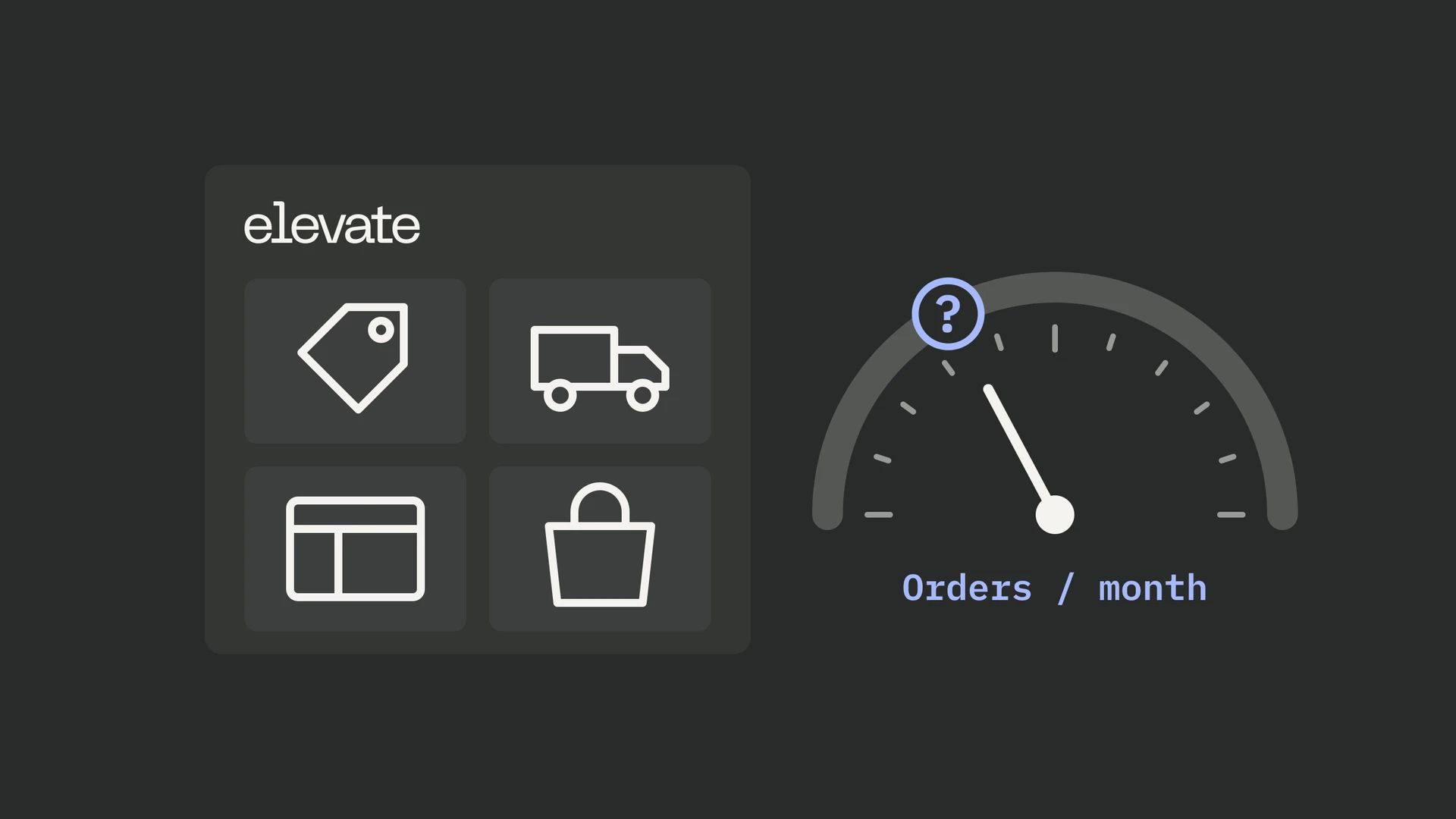
Elevate prices by sitewide orders per month: your bill follows store size, however much or little you test. Yearly billing takes 40% off.
| Monthly orders | Basic | Standard | Premium |
|---|---|---|---|
| Up to 1,000 | $49 | $99 | $499 |
| 1,001–2,000 | $75 | $149 | $499 |
| 2,001–3,000 | $99 | $199 | $499 |
| 3,001–5,000 | $149 | $249 | $499 |
| 5,001–7,500 | $199 | $299 | $499 |
| 7,501–10,000 | $249 | $349 | $499 |
| 10,001–15,000 | $275–299 | $375–399 | $499 |
| 15,001–20,000 | $325–349 | $425–449 | $499–549 |
| 20,001–30,000 | $399–449 | $499–549 | $599–649 |
| 30,001–80,000 | Not offered | Not offered | $749–949 |
| Above 80,000 | Contact sales | Contact sales | Contact sales |
Source: Elevate's public pricing data, updated 24 July 2026. The Shopify App Store listing shows the same starting prices.
Basic covers theme, template, split-URL and visual-editor tests. Standard, which Elevate recommends, adds price, shipping, product image, checkout and custom-code tests, AI test ideas and advanced targeting. Premium adds multi-currency and subscription price tests, headless support, a dedicated account manager, a personalized testing roadmap, white-glove onboarding and Slack support.
For a store with about 5,000 orders a month that wants price tests, Elevate Standard costs $249 a month, or $149 billed yearly. That makes it one of the least expensive ways to get price, shipping and storefront tests in one Shopify app; the comparison below prices the alternatives for the same store.
Two cost details are easy to miss. Plans scale with sitewide orders, so a growing store moves up a tier whether or not it tests more. And Elevate has changed its pricing model several times since 2023, from traffic-based to revenue-based to order-based tiers, so confirm the tier you will pay before committing to yearly billing.
Will your store have enough traffic?
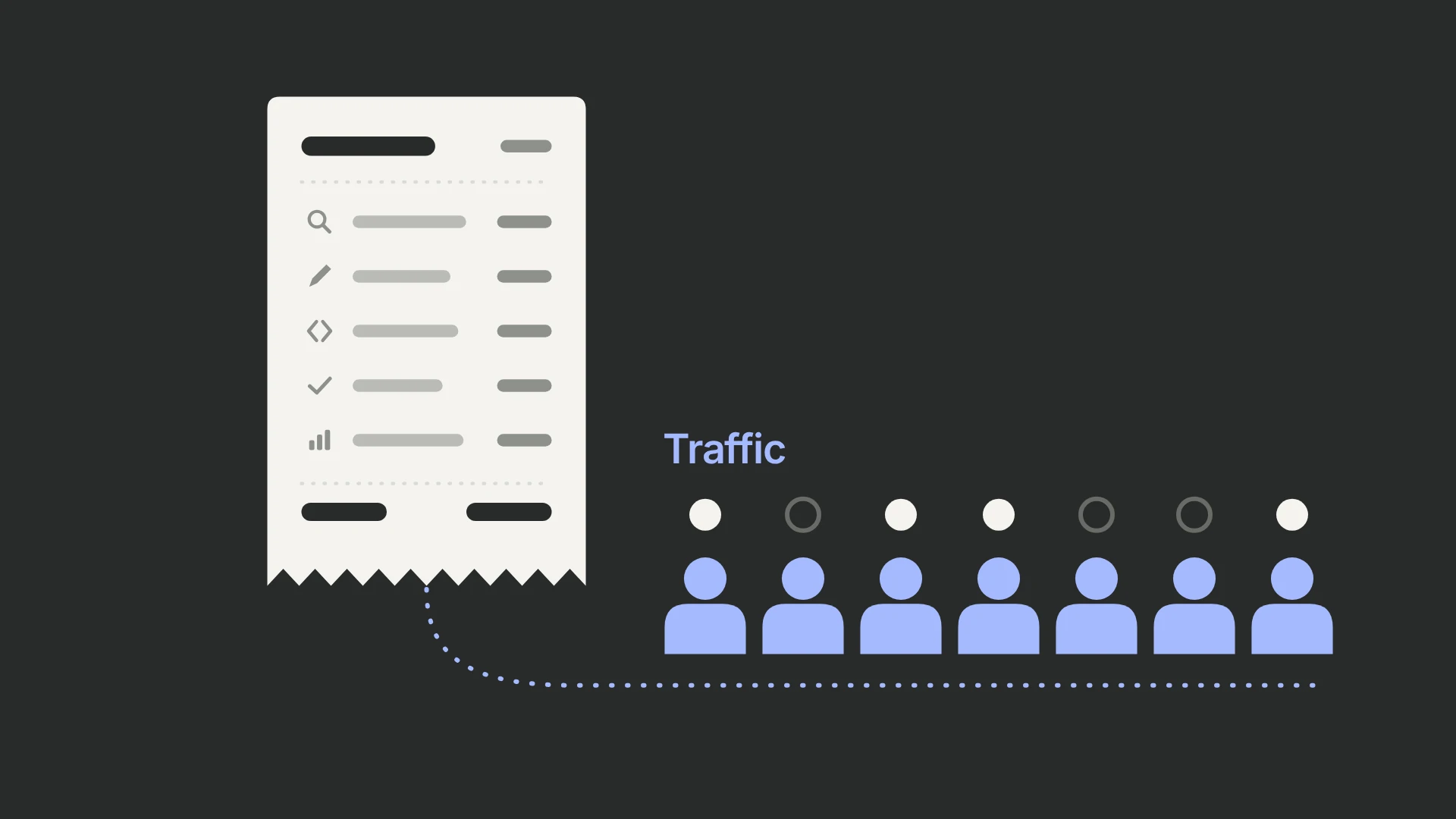
An A/B testing app sells decisions, and the number of decisions it can produce for you is set by your order volume. Elevate cannot change that, and neither can any competitor.
The quickest way to judge it is to count orders instead of visitors. At the conventional 95% confidence and 80% power, with traffic split evenly between two variants, the orders a test needs barely depend on your conversion rate:
| Orders entering the test (both variants) | Smallest relative lift you can reliably detect |
|---|---|
| 400 | About 32% |
| 850 | About 21% |
| 1,500 | About 15% |
| 3,200 | About 10% |
| 6,000 | About 7.5% |
| 12,500 | About 5% |
99Ways calculation: two-sided test, α = 0.05, power = 0.80, conversion rate as the goal metric. The figures move by less than one percentage point between 1% and 5% baseline conversion rates.
"Orders entering the test" means orders from visitors who were eligible for it. A sitewide theme test sees every order; a price test on one product sees only that product's buyers; a product-page test sees only sessions that reached a product page.
Compare those thresholds with what tests usually find, and with what a test really costs in traffic and time. In Analytics Toolkit's analysis of 1,001 A/B tests run by experienced practitioners, about one test in three produced a statistically significant winner, and the median lift among those winners was 7.5% (Georgiev, 2022). At Microsoft, only about a third of tested ideas improved the metric they were designed to improve (Kohavi). Real effects are usually small.
Put together:
- Under about 400 eligible orders a month, a test needs more than a month even to detect a 30% lift. Elevate is still useful for bold changes with large potential effects: offers, price points, free-shipping thresholds and landing-page concepts. Small interface tweaks will mostly end inconclusive.
- Around 850–3,200 a month, lifts of 10–20% become detectable within a month. This is where many growing Shopify brands sit, and where test selection matters more than tool features.
- Above roughly 3,200 a month, 5–10% effects come within reach, and Elevate's segmentation, concurrent tests and deeper analytics start to earn their keep.
Run every test for at least one full week, preferably two, even when the sample size arrives sooner, so weekday and weekend behavior are both represented.
Revenue per visitor and profit per visitor are the right goals for price, shipping and offer tests, but they need more data because order values vary. The extra sample needed is roughly ((1 + CV²) / p − 1) / ((1 − p) / p), where p is the conversion rate and CV is the coefficient of variation of order value. If order values have a CV of 0.8, a revenue-per-visitor test needs about 1.65 times the traffic of a conversion-rate test for the same relative lift; with very uneven baskets (CV 1.5) it needs more than three times as much. Elevate's outlier capping helps by limiting the influence of unusually large orders.
What merchants say: we read every review
We collected and coded all 143 reviews on Elevate's Shopify App Store listing on 19 October 2026. One 1-star review was removed from the listing later that day, leaving 142; we cannot tell whether its author or Shopify removed it, and our figures include it.
| Measure | Result |
|---|---|
| Five-star reviews | 139 of 143 (97.2%) |
| Reviews of three stars or fewer | 3 (2.1%) |
| Reviews praising support | 105 (73.4%) |
| Reviews naming a staff member | 24 (16.8%) |
| Reviews written within 14 days of installing, the trial length | 55 (38.5%) |
| Reviews written within 30 days | 77 (53.8%) |
| Median time using the app when reviewing | 24 days |
| Reviews written after a year or more | 5 (3.5%) |
| Reviews reporting any business result | 12 (8.4%), of which 3 give a figure |
| Reviews discussing statistics, sample size or significance | 0 |
| Public developer replies | 8 (5.6%), none since April 2024 |
Three conclusions follow.
Support is what reviewers are rating. Nearly three-quarters praise fast, hands-on help, and one in six names the person who helped, most often a team member called Kevin. Several describe onboarding calls, page audits, testing roadmaps or Slack access, and a few say the team checked their test setup before they asked. Elevate's 1-star share (0.7% of live reviews) is the lowest among the larger Shopify testing apps we compared: Shoplift 2.2%, Intelligems 3.0%, ABConvert 3.6%, Visually 4.1%.
Most reviews come too early to judge results. More than half were written in the first month, and nearly four in ten inside the free trial, before most stores have run a test long enough to conclude. Only twelve reviews report an outcome, and only three put a figure on it; the most specific is Arrowhead Tactical Apparel's claim of more than $30,000 in additional monthly sales after two months. Shopify's AI summary of the listing says many merchants report strong revenue lifts, which our count does not support.
The criticism is rare but specific. The three critical reviews describe a traffic split of 250 visitors against 30 on a 50/50 test after one day (the review that was later removed), experiment data the merchant could not access followed by a month without a support reply, and an app that goes down repeatedly but still does the job (a review written in Spanish). None received a public response.
Reviewers mention price testing more than any other test type (19 reviews), followed by page and content tests; nobody mentions checkout tests. Twenty-two compare Elevate with tools they used before, naming Google Optimize, VWO, Intelligems, Replo and Mida, almost always in Elevate's favor on ease and price. Reviewers come from 25 countries, led by the United States (50%), Australia, the UK and the Netherlands, and include established brands such as SILCA, Snibbs, Mad Rabbit, Wallace Bishop and The Ruscio Institute alongside many small stores.
One caution about longevity: when we checked storefronts in October 2026, a few brands that had reviewed Elevate or appeared in its case studies were running a different testing tool, among them case-study brand JuvaBun and reviewer Dr. Idriss, both now on Intelligems. Stores switch tools for many reasons, and two examples prove nothing about retention. They are a reminder that reviews capture the first weeks of a relationship.
Support and onboarding
Every plan includes live chat and email support. Premium adds a dedicated account manager, white-glove onboarding, a personalized testing roadmap and a priority Slack channel. The first price test on every store is reviewed by Elevate's technical team before launch, whatever the plan.
The review record says support is Elevate's strongest feature, and it is consistent across years. It also has limits worth knowing:
- Availability. A listing image promises live chat support "24/7". We could not confirm the hours, and one independent comparison describes Elevate as a poor fit for teams that need help outside business hours. Ask during the trial.
- Depth by plan. Roadmaps and Slack access are listed as Premium features. Several reviewers describe receiving that kind of help, without saying which plan they were on.
- Public accountability. Elevate has not replied publicly to a review since April 2024, including the complaint about a month of silence.
A small team that answers in minutes is a real advantage when a test needs fixing mid-flight. It also means continuity depends on a handful of people, which is worth weighing if testing will become core to how you operate.
Elevate's help center is unusually thorough for a Shopify app: it documents test types, statistics, tracking, consent, attribution and discrepancies in detail, and most pages are also available as Markdown for AI tools. Much of this review's analysis was possible only because the documentation is that explicit.
Where Elevate falls short
Weigh each of these against how you plan to use Elevate.
- Defaults built for speed. The 90% threshold, three-day minimum and 20-conversion floor produce false winners when results are watched and acted on early. The fix takes five minutes in settings, but only if you know to make it.
- One statistical approach. Elevate documents only Bayesian probability to win: no frequentist or sequential option and no variance reduction such as CUPED, and the interval on screen describes the control's conversion rate rather than the difference between variations. Elevate's documentation does not mention sample-ratio-mismatch checks, so check the visitor split yourself.
- Plan gates on the tests that matter most. Price, shipping, checkout and custom-code tests start at $99. Multi-currency and subscription price tests need Premium at $499 unless you exceed 30,000 orders a month, and headless support is Premium-only.
- Your roadmap in the page source. Test names, splits, targeting rules and destinations are readable by anyone who views source.
- Evidence weighted to the first month. More than half of the App Store reviews were written in the first month of use and only 3.5% after a year. Independent coverage is thin: we found no other hands-on review, no published A/A test and almost no community discussion.
- A small, fast-changing company. Elevate has rebranded once and changed its pricing model several times since 2023, and it does not carry Shopify's Built for Shopify badge. Rapid change brings features quickly; it also means today's plan details may not last.
- AI that suggests. AI test ideas suggest experiments, and the MCP connector for AI assistants reads data but cannot create, start or stop experiments.
- Marketing that outruns the documentation. Product pages promise "zero impact" on page speed and trustworthy split-URL verdicts within 24 hours; the documentation describes a render-blocking script with a 1–2 point speed cost and a three-day minimum. Elevate's case studies report no statistical results, and every headline figure carries a "vs previous 30 days" label. Two are titled as gains ("Boosts Add-to-Cart Rate by 6.29%", "Increases Profit by 21.74%") although the new variant lost in both; the figures are the original version's advantage. Rely on the documentation and your own A/A test, and read the case studies as marketing.
- A badge to avoid. Elevate's ready-made "Selling Fast" component shows a "live viewer count" from a range the merchant sets, and its documentation advises keeping the number "believable" (Elevate docs). A viewer count that does not come from real visitors is fabricated social proof, which consumer-protection authorities treat as deceptive. Use real data or leave it out.
Elevate vs Shoplift, Intelligems, ABConvert and Shopify Rollouts
Four alternatives come up in almost every Elevate evaluation: Shoplift and Intelligems, its best-known Shopify rivals; ABConvert, the main frequentist option; and Shopify Rollouts, the free testing Shopify has built into its admin since 2026. All facts below come from each vendor's own pricing pages and documentation in October 2026.
| Elevate | Shoplift | Intelligems | ABConvert | Shopify Rollouts | |
|---|---|---|---|---|---|
| App Store rating | 4.9 (142) | 4.9 (134) | 4.8 (199) | 4.7 (84) | Built into Shopify |
| Priced by | Sitewide orders | Sitewide visitors | Sitewide orders, by module | Orders inside tests | Included in Shopify |
| Entry price | $49 | $99 ($74 yearly) | $69 | $99 | Free on Grow and above |
| Price tests from | $99 | $399 ($299 yearly) | About $330–349, with a 3-month minimum | $199 | Not available |
| Theme, template and content tests | Yes | Yes, through the theme editor | Yes | Yes | Theme changes and whole themes |
| Shipping tests | Yes | Thresholds through a JavaScript API | Yes | Yes | No |
| Checkout tests | Yes, Shopify Plus | No | Yes, Shopify Plus, plus post-purchase | Partly on all plans; UI blocks on Plus | Checkout configuration |
| Statistics | Bayesian; winner at 90% by default after 3 days and 20 conversions | Bayesian; staged verdicts after at least 3 days and 30 orders per variant | Bayesian; no fixed threshold; guidance of 300+ orders per group and 7+ days | Frequentist fixed horizon at 95%; at least a week | Not documented; fixed metrics, no revenue per visitor |
| Headless | SDK for some test types (Premium) | Not supported | Yes | Documented | Not supported |
For a store with about 5,000 orders and 200,000 visitors a month that wants price tests, published prices come to roughly $249 a month for Elevate Standard ($149 billed yearly), $199 for ABConvert Growth if no more than 5,000 orders fall inside tests, $599 for Shoplift Advanced ($449 yearly) and $777–$999 for Intelligems, depending on the modules chosen.
Which one fits
- Choose Elevate if you want the widest set of Shopify test types, including price and shipping tests, at the lowest price for that breadth, and value fast, hands-on support. Plan to configure its statistics yourself.
- Choose Shoplift if your program is mostly theme and template tests built in the Shopify theme editor and you prefer a verdict system with stricter built-in minimums. It is part of Shopify's Plus Certified App Program. Price testing costs considerably more, is limited to single-currency stores, and there are no checkout tests.
- Choose Intelligems if pricing, offers and shipping are the core of your program and you want the deepest profit analytics and post-purchase tests, and the budget allows it.
- Choose ABConvert if you want fixed-horizon frequentist decisions, Shopify's Built for Shopify badge and pricing that follows the orders you actually test.
- Start with Shopify Rollouts if you only need to validate theme or checkout changes against conversion rate. It is free, but it cannot test prices or decide on revenue per visitor.
General-purpose platforms such as Wingify (the merged VWO and AB Tasty), Optimizely, Convert and Kameleoon offer more statistical machinery, such as sequential testing, multiple-comparison or false-discovery control and CUPED, and work across platforms. Their Shopify support is thinner: none tests inside Shopify checkout out of the box, and only Convert documents price tests, with checkout prices changing only on Plus. Shopify price, shipping and checkout experiments remain the territory of Shopify-native apps like Elevate.
How to set up Elevate for results you can trust
Most bad test decisions are made before launch. This is the order we would follow in the 14-day trial.
Before your first test
- Install and verify. Enable the theme app embed on your live theme and run Elevate's installation check. Price, image and content tests cannot run without the embed.
- Change the statistical configuration. Use the recommended settings: a 95% threshold, a 14-day minimum and sample minimums from a pre-test calculation.
- Exclude your team. Add your office and team IP addresses to the IP Exclusion List (Settings → Store Setup → Tracking).
- Set up consent if you sell in the EU or UK: turn on Require Consent Before Storing Visitor IDs and make sure your banner records consent through Shopify's Customer Privacy API.
- Add cost of goods so profit per visitor is available, and turn on Exclude Free Gifts if you use gift-with-purchase or bundle apps.
- Turn on order tagging so every order in Shopify shows the variation that produced it. It makes reconciliation with Shopify's own reports straightforward.
- Run an A/A test for a week or two. Launch a test whose variation changes nothing. Visitor counts should split as configured, orders should reconcile with Shopify, and neither side should win. If something is off, you have found a tracking problem before it cost you a decision.
Choosing your first tests
Start where effects can be large and eligible traffic is high:
- A free-shipping threshold test, sitewide, decided on revenue per visitor.
- A price test on a best-selling product, decided on profit per visitor. Keep Elevate's Google Ads and Google Shopping exclusions on, and check them: in a fresh browser, open the product from a link carrying a
gclidparameter and confirm you see the control price. Check every place the price appears, decide in advance how customer service handles shoppers who see two prices, and place a real order in each variation to confirm the checkout price. - A substantial product-page template change, such as a new information order or offer presentation. Button-colour tests rarely move enough to detect.
Keep each test to one meaningful change. Elevate lets you layer content or code changes onto a price test, which tells you whether the combination won but not which part did the work.
While a test runs
- Preview every variation on mobile and desktop, in each market and currency, before launch and again after the first day.
- Do not edit catalogue prices during a price test. Run sales as discount codes or automatic discounts, which Elevate applies on top of test prices, so the comparison stays valid.
- Leave the result alone until the planned end date, unless the test shows "Unlikely to be Significant" or a QA problem.
After the decision
Apply the winner (Elevate sets winning prices and images itself; theme, template, shipping and split-URL winners are changes you make in Shopify) and mark the test complete. Completed tests keep their results, but their configuration stays in your page source until deleted, and deleting erases the data, so export results before you clean up. Then watch the metric for the following weeks. If the lift fades, the original estimate was probably inflated, which is normal for selected winners and worth recording for the next decision. To track what a testing program adds up to over time, see how to measure the cumulative impact of CRO.
How to read an Elevate result
- Choose one goal before launch. Elevate asks for an experiment goal; treat it as the decision metric and everything else as diagnosis. Our guide to A/B testing metrics covers how to choose it. With dozens of metrics on screen, some will look significant by chance: at 95% confidence, roughly one in twenty unaffected metrics will.
- Check the visitor split before the lift. If a 50/50 test shows visitor counts that differ by more than chance allows, assignment or tracking has broken somewhere, and the lift cannot be trusted until the cause is found (Fabijan et al., 2019). As a rule of thumb at a strict p < 0.001, a 50/50 test with 100,000 visitors should not drift beyond about 50.5/49.5; with 10,000 visitors, beyond about 51.6/48.4.
- Read absolute counts. Twenty orders against twelve is a 67% lift and almost no evidence.
- Separate "how likely" from "how much". A 95% probability that B beats A can coexist with an expected lift too small to matter. Look at the range of plausible effects, including the downside.
- Use segments to generate hypotheses. Slicing a finished test by device, source and country multiplies the chance of a false discovery. Treat a segment winner as a candidate for the next test.
- Reconcile with Shopify. Compare the test's orders and revenue with Shopify's own reports for the same dates and audience, using Elevate's definitions: whole orders, subtotal excluding shipping and tax, refunds subtracted. A large unexplained gap means part of the funnel is invisible to the test.
Final verdict
Elevate earns its reputation. It covers more Shopify test types than its direct rivals at a lower price, its price testing avoids duplicate products and handles practical details such as Google traffic, discounts and subscriptions, its storefront footprint is lighter than most alternatives we measured, and its documentation is unusually candid about how the product works. Merchants consistently praise the support.
Its weaknesses concern evidence and defaults: winner rules tuned for speed, marketing and case studies that claim more than their data shows, tracking that starts before consent, thin privacy paperwork, and a review record dominated by first impressions.
Our recommendation: Elevate is a strong choice for Shopify brands with roughly 1,000 or more orders a month that want price, shipping and storefront tests in one tool and will run them with discipline. Start on the Standard plan, change the statistical settings on day one, run an A/A test during the trial, and judge Elevate by the decisions it helps you make over the following quarter. If your store is far below that volume, or your program depends on rigorous statistics across teams or on headless price tests, compare the alternatives above first.
Frequently asked questions
Is Elevate A/B testing worth it?
For a Shopify store with roughly 1,000 or more orders a month that wants price, shipping and storefront tests, yes: few apps cover as many test types at its price. Its value depends on running tests long enough to conclude, so change the default statistical settings and check that your order volume can detect the lifts you care about.
How much does Elevate cost?
At up to 1,000 orders a month, Basic costs $49, Standard $99 and Premium $499 a month. Prices rise with sitewide order volume; Standard reaches $249 at 3,001–5,000 orders. Yearly billing takes 40% off, and every plan has a 14-day free trial. There is no free plan.
Which Elevate plan do I need for price testing?
Standard or above. Price, shipping, product image, checkout and custom-code tests all start on Standard. Testing prices in several currencies and subscription prices needs Premium, unless your store exceeds 30,000 orders a month.
Does Elevate slow down a Shopify store?
Slightly. It adds a 14 KB compressed script that loads synchronously in the page head and is cached for a year, plus 11–16 KB of compressed inline script in every page's HTML. Elevate puts the cost at 1–2 points on page-speed scores. Template, theme and split-URL tests also redirect variant visitors before the page renders.
Does Elevate cause flicker?
Rarely. Elevate does not hide the page; it runs before the page paints and applies changes as elements render. Changes made by custom JavaScript can flash depending on how the code is written, and older installations that load Elevate later in the page are more exposed.
Do I need Shopify Plus to use Elevate?
No. Theme, template, content, split-URL, product and price tests work on any Shopify plan, according to Elevate. Shipping tests need Shopify's third-party carrier-calculated rates, which come with Advanced and Plus, with annual billing on other plans, or as a paid add-on. Checkout tests require Shopify Plus, because Shopify only allows checkout customization on Plus.
Does Elevate create duplicate products for price tests?
No. Current price tests change the price on the existing product and charge the test price at checkout. Product tests, used for titles, descriptions and bundles, do create unlisted duplicates.
Is Elevate GDPR compliant?
That depends on how you configure it. By default, Elevate stores visitor IDs before consent, and its web pixel runs regardless of consent. Turn on Require Consent Before Storing Visitor IDs, use a banner that records consent through Shopify's Customer Privacy API, and ask counsel to review the remaining behavior. Elevate does not publish a data processing agreement or subprocessor list.
How long should an Elevate test run?
At least 14 days, so it covers two weekly cycles, and until it reaches the sample size you calculated before launch. As a rule of thumb, detecting a 10% lift in conversion rate takes about 3,200 orders across two variants, and a 20% lift about 850.
Is Elevate better than Shoplift or Intelligems?
Elevate costs less than either for price testing and covers more test types than Shoplift. Shoplift is the stronger choice if your program centres on theme and template tests and you want stricter built-in verdict rules; Intelligems if pricing, offers and profit analytics are the core of your program and budget allows.
What happens to my data if I uninstall Elevate?
Elevate's privacy policy says it deletes your data 48 hours after you uninstall. Export results through the app or its API first. Your historical Shopify orders keep Elevate's hidden attributes and, if you enabled it, its order tags.
Sources
All sources were accessed on 19–20 October 2026.
Elevate:
- Pricing and Shopify App Store listing
- Help center: statistical significance, statistical configurations, experiment and store settings, price testing overview, anti-flicker, cookies and consent, web pixel, visitor attribution, analytics discrepancies, audience targeting, ending an experiment and Selling Fast badge
- Privacy policy, AOV test calculator, and case studies Say It With Diamonds and Biddlebee
Alternatives:
- Shoplift pricing and statistical significance
- Intelligems pricing and statistical significance
- ABConvert pricing plans and statistical significance
- Shopify Rollouts and requirements
- Optimizely statistical significance and Wingify: VWO and AB Tasty unite
Platform and research:
- Shopify, Cart Transform Function API
- Google Merchant Center, mismatched product price
- Georgi Georgiev, What can be learned from 1,001 A/B tests?
- Ron Kohavi et al., Online controlled experiments and A/B testing
- Aleksander Fabijan et al., Diagnosing sample ratio mismatch in online controlled experiments
99Ways' own data: the review dataset, storefront observations and simulation code behind this article are available on request.