
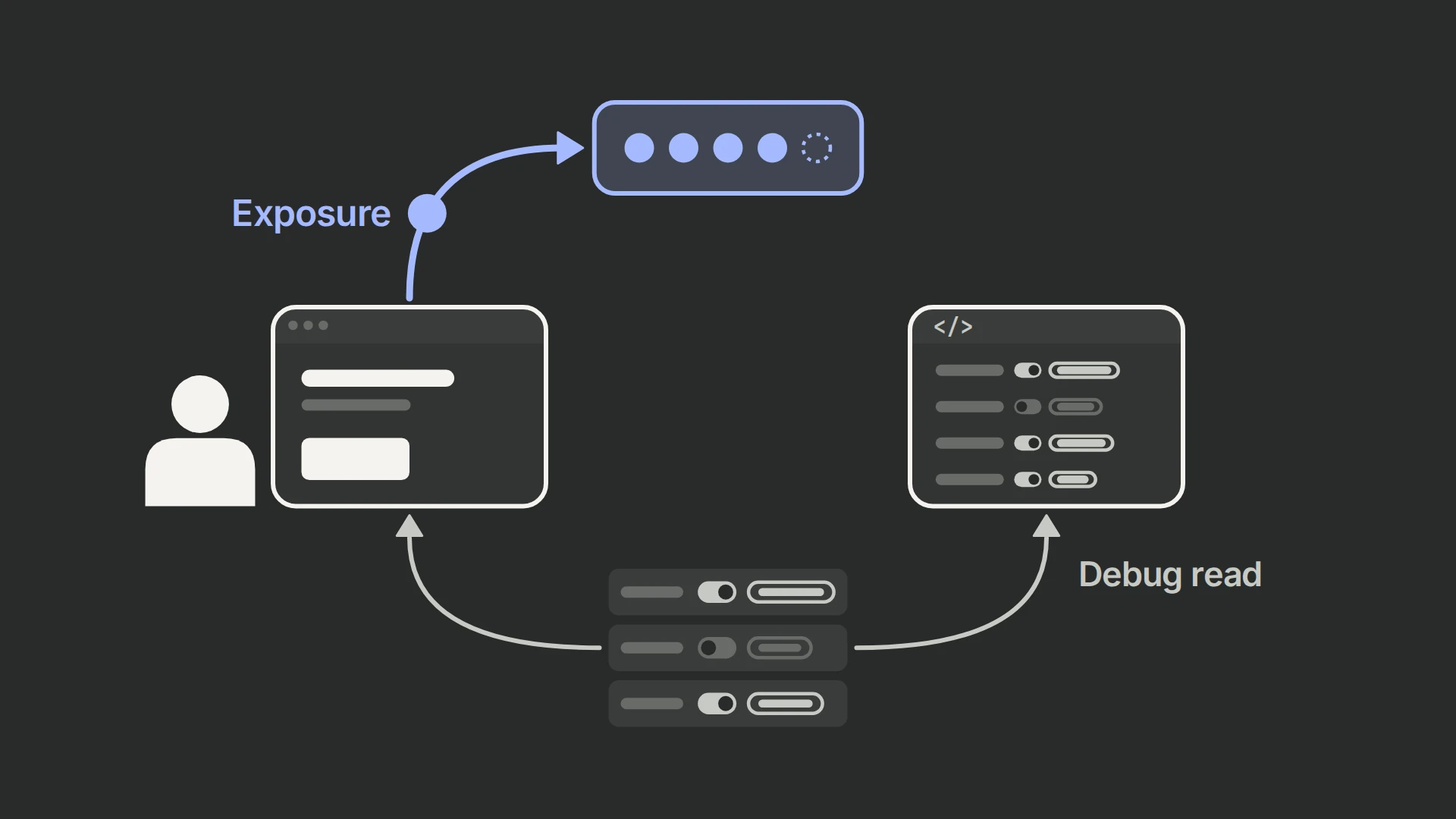
PostHog’s JS web SDK now includes getAllFeatureFlags(), which returns every currently loaded flag in one call. Each flag includes its key, enabled state, variant, and payload.
The important part is not just convenience. PostHog’s changelog says this method reads cached flags, makes no network request, and does not send a $feature_flag_called event. That makes it useful for inspection and tooling without contaminating experiment data.
What changed
PostHog’s June 26, 2026 changelog introduced getAllFeatureFlags() for the JS web SDK.
According to the release details, the method:
- returns all currently loaded flags in one call;
- includes key, enabled state, variant, and payload;
- reads from the local cache instead of making a network request;
- does not emit
$feature_flag_called.
Why this matters
Feature flag instrumentation and experiment instrumentation are not the same thing.
If you call a method only because you want to inspect current flags in a debug panel, support tool, or admin surface, you usually do not want that inspection to count like a user-facing exposure. That kind of accidental event pollution can blur experiment interpretation.
This release makes three workflows cleaner:
- debug interfaces that show current flag state;
- support tools that help investigate user-specific rollout behavior;
- internal forwarding logic that needs loaded flags but should not affect experiment counts.
Who this is for
This release is most useful for:
- teams using feature flags in PostHog experiments;
- developers building internal flag inspectors;
- support teams diagnosing why one user saw one experience and another did not;
- product teams that want cleaner exposure logic.
How to use it
- Make sure the JS web SDK version includes
getAllFeatureFlags(). - Call the method only after flags are loaded for the current user/session.
- Use the returned list for rendering, debugging, or forwarding purposes.
- Keep your true experiment exposure logic tied to the user actually reaching the tested experience.
The method is especially useful when you need state visibility but not behavioral interpretation.
How to verify the setup
Check all of the following:
- the returned list includes the expected flag keys;
- enabled state, variant, and payload values match what the user should receive;
- no network request is fired just to read the list;
- no
$feature_flag_calledevent is emitted from the inspection action; - your experiment exposure logic still depends on actual product experience, not admin-only flag reads.
Why this matters for experiments and analytics
Clean flag reads protect clean experiment interpretation.
If a support interface, QA tool, or developer-only view accidentally behaves like an exposure event, your denominator can drift away from real user experience. That is how teams end up trusting experiment results that are technically logged but strategically wrong.
Common mistakes to avoid
- Treating flag retrieval as the same thing as experiment exposure.
- Calling the method before flags are actually loaded.
- Using internal debug reads to justify business conclusions about rollout coverage.
- Assuming no network request means no validation is needed.
- Forwarding flag data elsewhere without defining which fields really matter.