
I recently tested PostHog’s updated Error Tracking alerting. One improvement stood out immediately: I can now send alerts directly to Slack or Discord based on Error Tracking events.
To see the exact update details from PostHog, head to the official changelog.
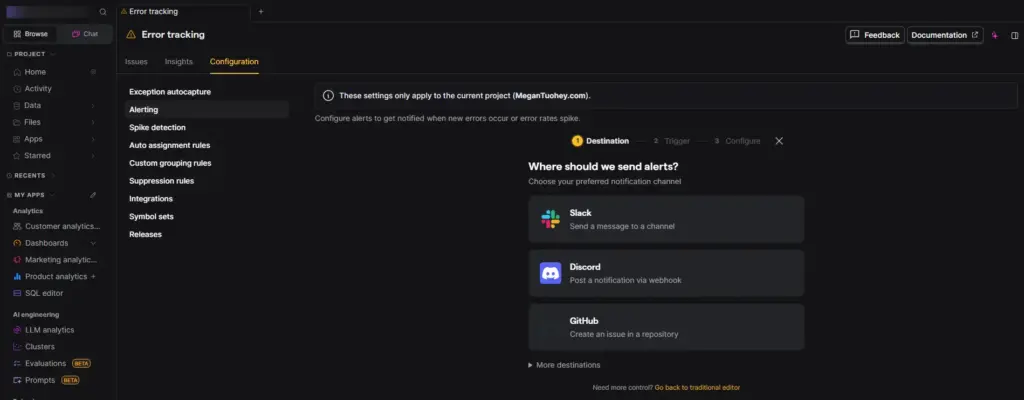
That means I no longer need to keep checking Error Tracking manually to catch new issues. I can configure PostHog alerts to notify me when a new error appears or when error rates start to spike, which makes it much easier to react quickly before the problem grows.
How I Use PostHog Error Tracking Alerts in Slack and Discord
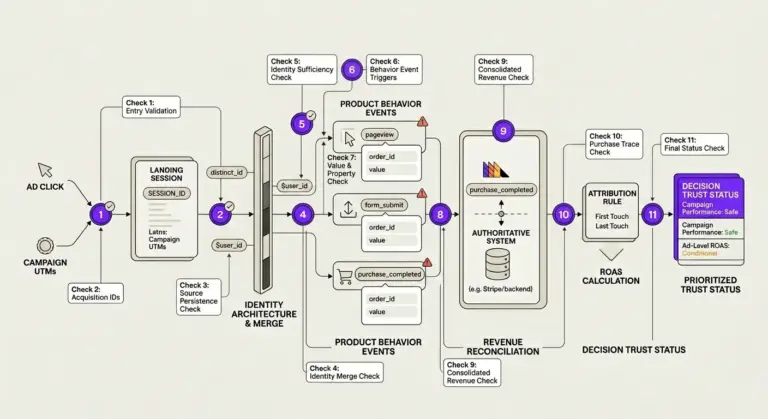
What I like about this update is that it makes Error Tracking more operational. For a broader PostHog audit, validate the event data behind the alert. Instead of using it only to review issues after the fact, I can turn it into an active monitoring workflow. That lets me send notifications directly to the Slack or Discord channels where my team already communicates.
Getting started is simple. If you are still defining which events matter, see this event tracking plan. In PostHog, I go to Error tracking > Configuration > Alerting and set up the alert based on the Error Tracking conditions I want to monitor.
For teams that rely on Slack or Discord for fast communication, this is a practical improvement that makes Error Tracking much more useful in day-to-day work.
For a broader check of event quality, use this conversion tracking audit. Take a look at other PostHog updates and features that stood out to me.