
Use UTMs to label your campaign and keep each ad platform’s click ID in its own parameter. This tells your analytics where a visit came from and gives the ad platform an identifier for matching a later conversion to the click. (+ / +)
Agree the values in our UTM naming guide first; this page shows where they go. For the conversion setup that follows, use our overview of PostHog’s ad destinations.
Ad URL parameters by platform, as of October 2026
These documented examples have not been tested through live ads, so verify the delivered URL in your ad format before launch. Copyable examples for each platform follow the contract, under building one canonical URL.
| Platform | Field and level | Dynamic values | Click ID | PostHog properties (+ / + / +) |
|---|---|---|---|---|
| Meta Ads (+ / + / + / +) | Ad → Tracking → “URL parameters” / “Build a URL parameter”. Parameters only; overrides duplicate “Website URL” keys. | IDs: {{campaign.id}}, {{adset.id}}, {{ad.id}}. Names: {{campaign.name}}, {{adset.name}}, {{ad.name}}, fixed at first publication. Also {{placement}} and {{site_source_name}}, which returns short codes such as fb and ig, not the contract’s facebook or instagram. Dynamic parameters are not available for Instagram Collection ads. | fbclid | fbclid, $initial_fbclid. Meta cookies: $fbc, $fbp (SDK 1.433.0+). |
| Google Ads (+ / + / + / +) | “Final URL suffix”: account, campaign, ad group, ad or keyword level. Parameters only. | {campaignid}, {adgroupid}, {creative} (ad ID), {keyword}. | gclid via auto-tagging; iOS traffic can carry gbraid or wbraid. | gclid, gbraid, wbraid, and their $initial_ equivalents. |
| Reddit Ads (+ / +) | The ad’s destination URL (full URL). (+) Catalog ads: “add URL parameters” → “Parameter builder” or “Paste URL”. | Catalog only: {{CAMPAIGN_ID}}, {{ADGROUP_ID}}, {{AD_ID}}. Create a new ad to change parameters after publishing. | rdt_cid | rdt_cid, $initial_rdt_cid. |
| TikTok Ads (+ / + / +) | Ad → “Destination URL” → “Edit” (under Preview) → “Build URL parameters”; or “Auto-attach”. | __CAMPAIGN_NAME__, __CAMPAIGN_ID__; __AID_NAME__, __AID__ (ad group); __CID_NAME__, __CID__ (creative); __PLACEMENT__. Upgraded Smart+ adds __ADID_V2__ for the ad. | ttclid | ttclid, $initial_ttclid. No _ttp cookie read. |
| Snapchat (+ / +) | “Create Ads” → ad details → “Build a URL Parameter”. Full URL in “Website URL”. | {{campaign.id}}, {{campaign.name}}, {{adSet.id}}, {{ad.id}}, {{creative.headline}}, {{site_source_name}}. Keep the capital S in adSet. | ScCid (Snap’s examples also show scCid). | sccid, $initial_sccid only. Mixed-case ScCid / scCid need explicit capture and mapping. |
| Pinterest (+ / +) | Ad-level “Destination URL”: a full URL. | {campaignid}, {adgroupid}, {adid} (Pin promotion ID). They expand on live ads, not previews. | epik | epik, $initial_epik. No _epik cookie read. |
In the last column, an unprefixed name such as gclid is an event property and, when a person profile is updated, its latest person property. $initial_gclid is the first-touch person property. The capture and identification conditions below matter when the conversion happens later.
The shared 99Ways parameter contract
| Parameter | Meaning | Example |
|---|---|---|
| utm_source | Platform or publisher | google, facebook, reddit |
| utm_medium | Channel type | cpc, paid-social, display |
| utm_campaign | Cross-channel campaign or initiative | winter-sale-2026 |
| utm_term | Keyword, audience or ad-set detail | brand-keyword, retargeting-30d |
| utm_content | Creative, placement or link variation | video-ad-01, feed-placement |
Add utm_source, utm_medium and utm_campaign to each ad URL. Use utm_term and utm_content when they describe a useful difference. Do not put an ad-set ID in utm_content on one platform and an ad ID there on another while expecting the field to remain comparable. Store platform IDs in dedicated parameters when you need to join reports.
Make automatic parameters match your convention
Meta may automatically add a Facebook or Instagram source, utm_medium=paid, and ad, campaign, ad set and campaign tracking group IDs. Override conflicting values in the “URL parameters” field so the landing URL follows your agreed convention. (+)
TikTok’s “Auto-attach” fills source TikTok, medium Paid, campaign ID and name. Edit those values to your convention, or switch Auto-attach off and enter them yourself. (+)
PostHog’s built-in channel rules lowercase the medium and treat values beginning with paid as paid traffic. That includes paid and paid-social, but a report broken down by the stored utm_medium still has separate values. Choose one convention and apply it consistently. (+)
Names and IDs serve different jobs
A shared campaign name in utm_campaign groups the same initiative across platforms. Platform IDs are stable keys for joining delivery and cost exports. Campaign names can change, ad names can be reused, and naming conventions can drift between media buyers. Keep both when needed: readable UTMs for cross-channel analysis and dedicated ID parameters for exact platform joins.
For search campaigns, utm_term often means keyword. Paid-social conventions sometimes use it for an ad or creative ID instead. Under this contract, use utm_term for keywords, audiences or ad-set details; put creative information in utm_content. Dedicated ID parameters keep those meanings from changing between platforms.
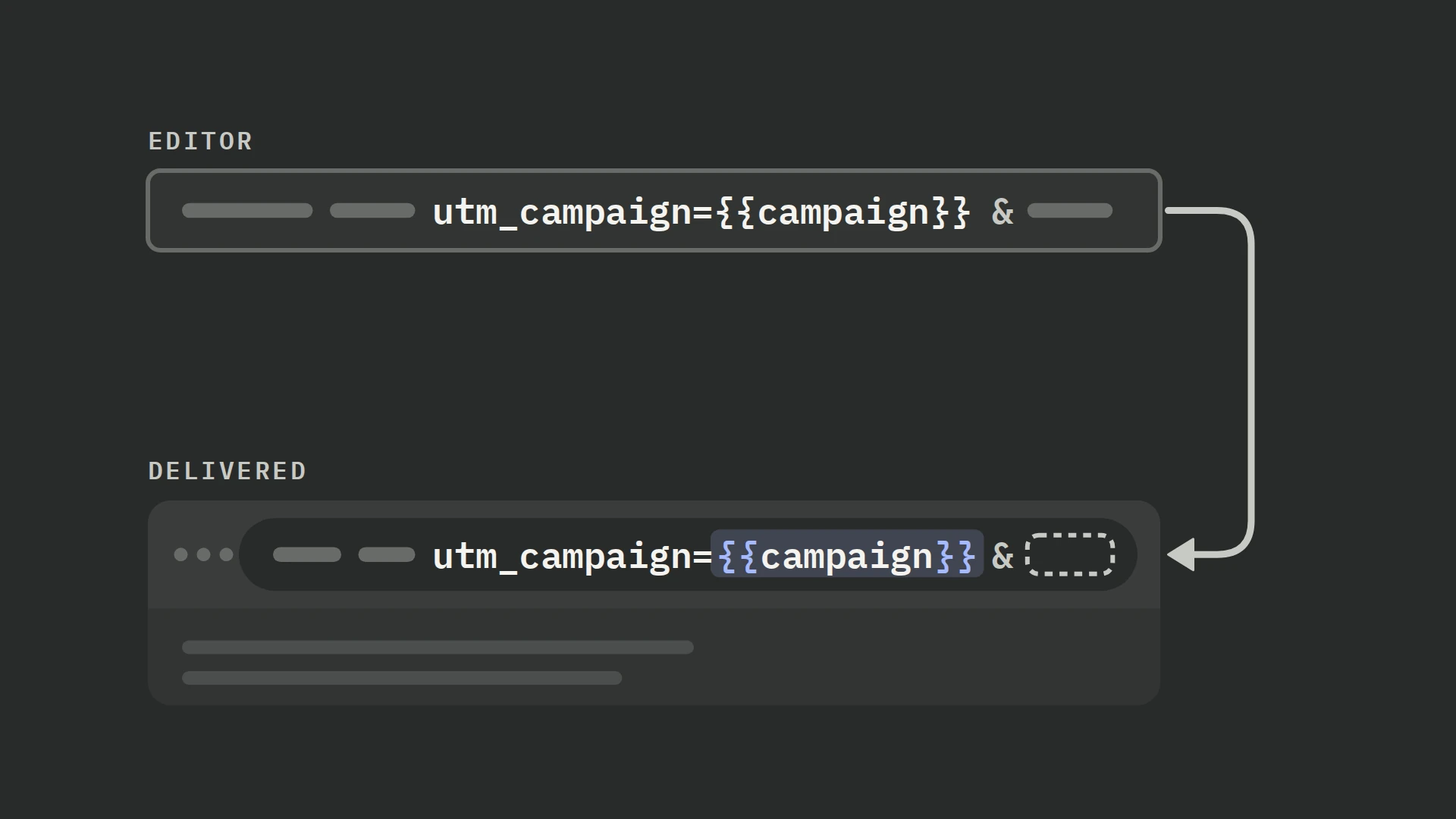
If your Meta campaign name already matches the shared initiative, utm_campaign={{campaign.name}} can fill it automatically. Name-based Meta parameters keep the name used when the ad was first published, even after a rename, so the ID remains useful for joining the current export. (+)
Never place customer IDs, email addresses, private audience names or other personal data in a URL. URLs can be stored in logs, analytics tools, and browser history. This also applies to names inserted by macros.
Field type determines the literal input
If the platform asks for a full destination URL, include the page URL. If the platform has a dedicated URL parameters field, paste only the parameters.
| Field type | What it expects | Separator responsibility |
|---|---|---|
| Full destination URL | Landing-page URL plus query string | You must use ? for the first parameter and & thereafter |
| Parameter or suffix field | Key-value pairs only | The platform normally attaches them; do not paste a leading ? unless current documentation explicitly requires it |
| Tracking template | A platform landing-page placeholder plus tracking expression | Use only after verifying the platform’s current placeholder and escaping rules |
Do not assume these field types are interchangeable. Google’s Final URL suffix is the simpler home for parameters that merely need appending; a tracking template is for a third-party or custom click tracker and needs a landing-page placeholder such as {lpurl}. (+ / +) With parallel tracking, put parameters the landing page needs in the suffix or Final URL. A suffix at a more specific level overrides one at a broader level. (+)
If the destination already has a query string, append with &, as in this illustrative URL. Keep required application parameters, and place the query before any #fragment.
https://example.com/page?variant=test&utm_source=facebook&utm_medium=paid-social&utm_campaign=winter-sale-2026Build one canonical URL before adapting it
Start with a registry row containing the untracked destination, approved source/medium/campaign values, optional term/content values, dedicated platform IDs, owner and launch date. Generate the URL from that record instead of hand-editing strings in Ads Manager.
For example, this illustrative registry row describes a Facebook ad. The IDs are invented; keep the actual IDs in your registry after the platform assigns them.
| Destination | Approved UTM values | Platform IDs | Owner and launch |
|---|---|---|---|
https://example.com/page?variant=test | facebook / paid-social / winter-sale-2026; content video-01 | Campaign 120000001; ad set 120000002; ad 120000003 | Paid media lead; 1 November 2026 (illustrative) |
For a destination with no query string, the first separator is ?. Use the same approved campaign name across the examples below; replace the illustrative page and creative name before testing. Keep dynamic macros exactly as shown, including braces, underscores and letter case.
Meta: parameters only, for Facebook traffic
utm_source=facebook&utm_medium=paid-social&utm_campaign=winter-sale-2026&utm_content=video-01&platform_campaign_id={{campaign.id}}&platform_adset_id={{adset.id}}&platform_ad_id={{ad.id}}Google Ads: Final URL suffix
Type the approved campaign name in utm_campaign, or supply it through a custom parameter; Google has no campaign-name ValueTrack token. {keyword} is available for keyword matches and returns a blank value for matches without keywords. (+) Keep auto-tagging on and do not add gclid yourself.
utm_source=google&utm_medium=cpc&utm_campaign=winter-sale-2026&utm_content=search-ad-01&platform_campaign_id={campaignid}&platform_adgroup_id={adgroupid}&platform_ad_id={creative}Reddit catalog ads: full URL for “Paste URL”
https://example.com/page?utm_source=reddit&utm_medium=paid-social&utm_campaign=winter-sale-2026&utm_content=product-ad-01&platform_campaign_id={{CAMPAIGN_ID}}&platform_adgroup_id={{ADGROUP_ID}}&platform_ad_id={{AD_ID}}Other Reddit ads: full destination URL
Without catalog macros, type literal values; add a platform ID manually when your reports need it.
https://example.com/page?utm_source=reddit&utm_medium=paid-social&utm_campaign=winter-sale-2026&utm_content=video-01TikTok: enter each pair in the builder
Set the UTM fields to the values below, and add the platform_* fields under “Custom parameters”. __CID__ identifies the creative. For upgraded Smart+ campaigns, add platform_ad_id=__ADID_V2__ for the ad that bundles the creative assets. (+)
utm_source=tiktok&utm_medium=paid-social&utm_campaign=winter-sale-2026&utm_content=video-01&platform_campaign_id=__CAMPAIGN_ID__&platform_adgroup_id=__AID__&platform_creative_id=__CID__Snapchat: full Website URL
https://example.com/page?utm_source=snapchat&utm_medium=paid-social&utm_campaign=winter-sale-2026&utm_content=video-01&platform_campaign_id={{campaign.id}}&platform_adset_id={{adSet.id}}&platform_ad_id={{ad.id}}For Multi-Segment Dynamic Product Ads, put UTMs in both the URL parameter builder and the Website URL. (+)
Pinterest: full ad destination URL
https://example.com/page?utm_source=pinterest&utm_medium=paid-social&utm_campaign=winter-sale-2026&utm_content=pin-01&platform_campaign_id={campaignid}&platform_adgroup_id={adgroupid}&platform_ad_id={adid}What PostHog captures, and what you must add
By default, PostHog’s JavaScript SDK captures the five standard UTMs and recognised click IDs from the landing URL. It carries campaign properties on later events in the same browser tab; a new URL containing campaign parameters replaces that set. A later UTM-only campaign URL can therefore clear a previously captured click ID. (+ / +)
The session’s landing values also appear on events as $session_entry_utm_source, $session_entry_utm_campaign, $session_entry_gclid and equivalent properties for the other recognised parameters. These describe the session entry, even if a later campaign URL changes the ordinary event properties. (+)
With the default person_profiles: 'identified_only', anonymous events do not update person profiles. First-touch values such as $initial_utm_source and $initial_gclid are backfilled when the visitor identifies. Inspect the latest values, such as utm_source and gclid, separately: they depend on events that update a person profile. First touch can be empty for a platform the visitor encountered only later. (+)
Capture the dedicated platform IDs
Custom URL parameters use key=value pairs after ?, joined with &. To capture the dedicated IDs in the examples as separate event properties, add their exact names to custom_campaign_params in your existing posthog.init options. (+)
posthog.init('<ph_project_token>', {
  // Keep your existing options, including api_host.
  custom_campaign_params: [
    'platform_campaign_id',
    'platform_adset_id',
    'platform_adgroup_id',
    'platform_ad_id',
    'platform_creative_id'
  ]
})
These custom IDs become event properties only. They do not automatically get latest or $initial_ person properties, or $session_entry_ properties. (+ / + / +) A backend conversion that needs these IDs must carry the values itself, or use person properties saved before PostHog processes that conversion. Data added later is unavailable to its destination. (+)
For Snapchat, capture the delivered key’s exact case and map that captured value to sc_click_id; the default destination reads lowercase sccid person properties. Adding ScCid or scCid to custom_campaign_params gives you an event property only. Our Snapchat guide covers capturing ScCid and mapping it to a later conversion. (+ / +)
For Reddit clicks routed through Campaign Manager 360, include &rdt_cid=%prdt_cid=!; in the tracker’s landing-page URL suffix so the Reddit click ID reaches your page. (+)
Validate the delivered click, not just the editor preview
Use a supported test-link flow or a controlled test ad. Confirm that the browser reaches the intended canonical HTTPS page, every dynamic token resolves rather than arriving as literal braces, existing query parameters survive, and redirects retain the values.
- On the landing
$pageview, inspect$current_url,$referrer, the expectedutm_*values, the dedicatedplatform_*properties you configured, and a non-null click ID. A property key with a null value does not establish capture. (+) - Inspect
$session_entry_utm_source,$session_entry_utm_campaignand the corresponding session-entry click ID. For Snapchat, also inspect the exact mixed-case event property you configured. - After
identify(), check the person’s$initial_*and latest campaign properties. First touch describes the original visit; it need not match the test ad if this browser visited before. - Complete a non-production conversion. Check that the lead, order, signup or opportunity still has the campaign and matching values the destination will use. Inspect the outgoing payload, especially when the conversion comes from your backend.
A landing page view with UTMs is only the first step. For a broader check of missing acquisition data, use the acquisition check in our PostHog audit.
If a click ID is on the landing event but missing from $initial_* or $session_entry_*, check the landing URL’s length: PostHog saves only its first 1,000 characters for first-touch and session-entry values, so a click ID beyond that point is lost there. (+) If ordinary campaign properties are missing, check whether your posthog.init sets save_campaign_params: false. It disables their automatic capture; first-touch and session-entry values can still appear. (+)
- Pinterest: macros expand only on live ads, so a preview cannot confirm their resolved values. (+)
- Snapchat: Snapcode previews fill dynamic parameters with
successful_; that is not the live value. (+) - Reddit: test URLs behave like real ads; impressions, clicks and charges still apply. (+)
- Google Ads: tracking-template changes take 24–48 hours to reach serving ads. Allow for that delay when retesting a template. (+)
If a click ID is <masked>, it is unusable for matching. With mask_personal_data_properties: true, the SDK replaces recognised click IDs with that literal string. Destination mappings can treat it as a non-empty ID and forward it, so exclude the unusable value while preserving your privacy settings. (+ / +)
Record the literal input, resolved public URL, ad format, test date and observed downstream fields. A preview that merely displays the template is not delivery evidence. If you cannot run a delivered click on a platform, mark its registry row untested.
When a click ID is lost
The current Google Ads destination sends gclid, with latest person value first and $initial_gclid as its fallback. It does not map gbraid or wbraid, even though the SDK captures them. Without gclid, email or phone, it skips the conversion. Our Google Ads guide shows how to configure email and phone matching instead. (+)
Losing the click ID alone does not stop the Meta, Reddit or TikTok templates from sending the other mapped fields, and matching then depends on whichever identifiers survive. Meta can still use a valid $fbc captured from the _fbc cookie, even when the conversion URL no longer has fbclid. (+ / + / +)
Snapchat and Pinterest can also send without a click ID when their other matching requirements are met. Their templates still require an email, phone or IP/user-agent pair for Snapchat, and an email, mobile ad ID or IP/user-agent pair for Pinterest. A missing click ID does not remove those gates. The platform guides linked above explain the mappings and how to check matching after delivery. (+ / +)
Migration without breaking historical reporting
Do not rename live campaign parameters in place. Map old values to the new contract, choose a cutover date, keep the mapping with the campaign registry and update reports to understand both eras. Validate channel grouping in each analytics product; no single utm_medium value guarantees identical classification everywhere.
Frequently asked questions
How do I add a custom campaign parameter to a URL?
Use key=value after the first ?, with & between pairs: https://example.com/page?platform_campaign_id=120000001&platform_ad_id=120000003 (illustrative IDs). In PostHog, add both keys to custom_campaign_params to capture them as separate event properties. (+)
Do I still need UTMs with Google Ads auto-tagging?
Yes, for campaign reporting in PostHog and other tools that use UTMs. Keep auto-tagging on for Google’s click identifier, and add UTMs for your readable source, medium and campaign values. gclid does not replace your shared campaign name. (+)
Does PostHog read the ad platforms’ cookies?
Only Meta’s, of these six platforms. From posthog-js 1.433.0 it reads the _fbc and _fbp cookies into $fbc and $fbp on events that update a person profile, unless cookieless mode or save_campaign_params: false turns that off. (+ / +)
It does not automatically read TikTok’s _ttp, Snapchat’s _scid, Pinterest’s _epik, Reddit click-ID cookies or Google’s _gcl_* cookies. URL capture and cookie capture are separate paths. Pinterest recommends sending the _epik cookie value when the URL parameter is missing; that needs your own capture and mapping. (+ / +)
Why does a click ID show as <masked> in PostHog?
Because mask_personal_data_properties: true replaces recognised URL click IDs with <masked>. The value is no longer an ID the platform can match. Keep it out of the destination payload rather than disabling masking just to populate the field. (+)
This masking does not cover Meta’s cookie-derived $fbc/$fbp or mixed-case Snapchat query keys such as ScCid. Apply your consent rules to those values before sending them too. (+ / +)
Is campaign_name the same as utm_campaign?
No. utm_campaign is a standard UTM that PostHog captures automatically. campaign_name is a custom key: add it to custom_campaign_params to capture it as an event property. If you only need the readable campaign name, put it in utm_campaign; a second key adds nothing unless it serves a different reporting purpose. (+)


